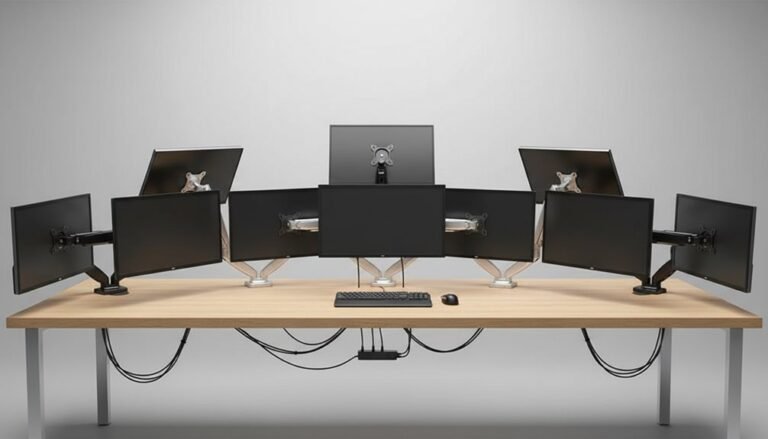
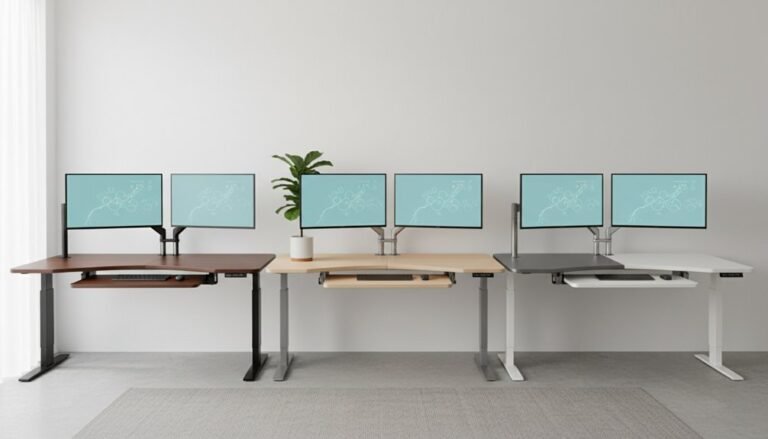
5 Best Monitor Arms for Triple Displays: Maximize Your Workspace Efficiency
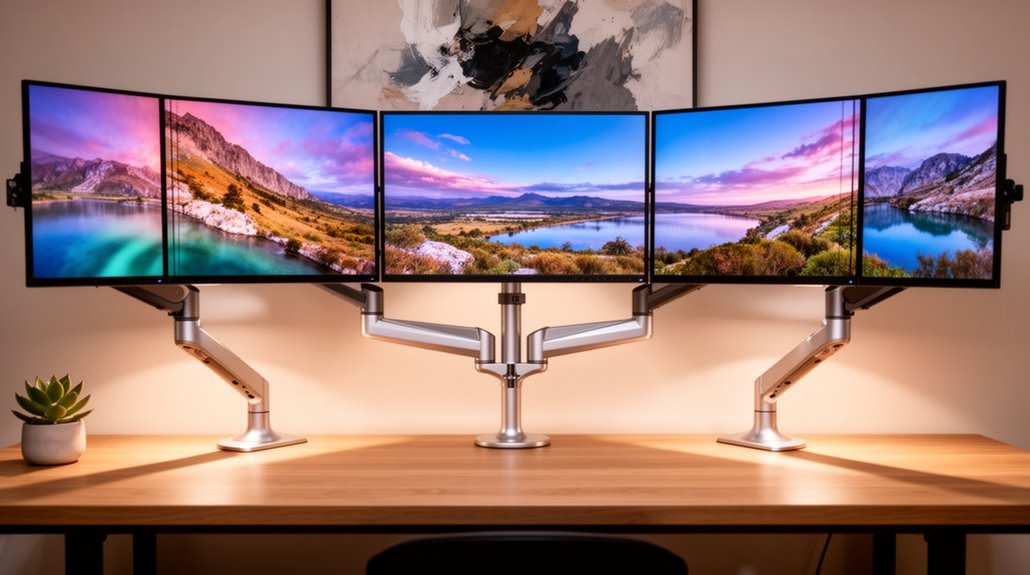
If you want to maximize your workspace efficiency with triple displays, consider the HUANUO Triple Monitor Mount.
This mount supports screens ranging from 17 to 32 inches, making it a versatile choice for different setups.
For those with ultrawide configurations, the VIVO Pneumatic Arm is an excellent option.
It allows for easy adjustments and flexibility to suit your viewing preferences.
If you’re looking for mounts that accommodate maximum sizes of 32 inches, both the MOUNT PRO and the Triple Monitor Desk Mount are fantastic options.
They provide stability and range of motion for your screens.
Lastly, the HUANUO for 13-27 inch screens is ideal for smaller displays.
With various options available, keep exploring to find the perfect fit for your needs!
HUANUO Triple Monitor Mount for 17 to 32 Inch Screens
If you’re looking to maximize your workspace while accommodating three monitors, the HUANUO Triple Monitor Mount is an ideal choice for screens ranging from 17 to 32 inches. This mount supports VESA mounting holes and holds monitors weighing between 4.4 to 17.6 lbs. By elevating your monitors, it creates a clutter-free workstation and frees up valuable desk space. You can easily adjust the monitors to swivel, tilt, or rotate for peak viewing angles, whether in landscape or portrait mode. With two installation options, you can choose what fits best for your desk, ensuring a secure and personalized setup.
Best For: Those seeking an efficient and organized multi-monitor setup that enhances productivity and saves desk space.
Pros:
- Space-saving design elevates monitors off the desk, creating a neat workstation.
- Highly adjustable with swivel, tilt, and rotation features for optimal viewing angles.
- Two installation options (C-clamp and grommet mount) provide flexibility based on desk type.
Cons:
- Limited compatibility for monitors larger than 32 inches.
- Weight restriction may not accommodate heavier monitors beyond 17.6 lbs.
- Installation could be challenging for users unfamiliar with mounting setups.
VIVO Pneumatic Arm Triple Ultrawide Monitor Desk Mount (STAND-V300D)
For gamers or professionals using ultra-wide screens, the VIVO Pneumatic Arm Triple Ultrawide Monitor Desk Mount (STAND-V300D) stands out as an ideal choice. It supports a massive 49-inch screen along with two 38-inch displays, accommodating various setups. With a robust weight capacity of 5.5 to 44 lbs per arm, its heavy-duty cast aluminum construction guarantees durability. The pneumatic arms allow for effortless height adjustments, while the monitor articulation features enable +55° to -25° tilt and 180° swivel for perfect viewing angles. Installation is a breeze, thanks to detachable VESA plates and included hardware. Maximize your workspace with this versatile mount!
Best For: Gamers and professionals who utilize ultra-wide screens and require flexible height and viewing angle adjustments.
Pros:
- Supports multiple monitor sizes: Accommodates a 49-inch screen and two 38-inch displays.
- Durable construction: Made from heavy-duty cast aluminum for strength and longevity.
- Easy height adjustment: Pneumatic arms allow for simple and quick height changes.
Cons:
- Weight limit per arm: Each arm supports a maximum of 44 lbs, which may limit heavier monitor options.
- Clamp base restrictions: Suitable only for desktops up to 2 inches thick.
- Installation required: Some users may find the assembly process complex despite the included instructions.
MOUNT PRO Triple Monitor Mount for Max 32″ Screens
The MOUNT PRO Triple Monitor Mount is ideal for professionals or gamers looking to maximize their workspace with three screens up to 32 inches each. This mount supports flat and curved displays and holds up to 17.6 lbs per arm. With full motion gas spring arms, you can tilt, swivel, and rotate your monitors for the best viewing angles. The ergonomic design features an adjustable height, making it perfect for both sitting and standing positions. Plus, you can easily configure your monitors side by side or in a triangular setup, and the integrated cable management keeps your workspace neat and organized.
Best For: Professionals or gamers looking to enhance their workspace with multiple screens for improved productivity and immersive experiences.
Pros:
- Full motion gas spring arms allow for flexible positioning with tilt, swivel, and rotation.
- Ergonomic design with adjustable height caters to both sitting and standing work preferences.
- Integrated cable management system helps maintain a tidy workspace.
Cons:
- Not compatible with 1000R curved screens.
- Maximum weight capacity of 17.6 lbs per arm may limit heavier monitors.
- Installation options may not suit all desk thicknesses.
Triple Monitor Desk Mount for Computer Screens up to 32
Searching for an efficient way to enhance your workstation? The Triple Monitor Desk Mount for screens up to 32 inches is the solution you need. It supports up to 19.8 lbs per arm and is compatible with VESA 75x75mm and 100x100mm patterns. Enjoy full adjustability with 360° rotation, 180° swivel, and 90° tilt for ideal viewing. Choose between C-Clamp or Grommet mounting options based on your desk thickness. Plus, it elevates your monitors while managing cables, reducing clutter. Assembly is a breeze with included hardware, and customer support is ready to assist you with any inquiries.
Best For: Professionals and gamers looking to maximize their workspace and improve productivity with multiple monitor setups.
Pros:
- Fully adjustable with 360° rotation, 180° swivel, and 90° tilt for optimal viewing angles.
- Space-saving design elevates monitors off the desk and includes an integrated cable management system to reduce clutter.
- Easy installation with C-Clamp and Grommet mounting options, plus straightforward assembly instructions.
Cons:
- May not be suitable for desks thicker than 3.15 inches or thinner than 0.39 inches depending on the mounting option.
- Limited weight capacity of 19.8 lbs per arm may restrict the use of heavier monitors.
- Requires VESA compatibility, which may not be available on all monitors.
HUANUO Triple Monitor Mount for 13-27 Inch Screens
If you’re looking to maximize your workspace with a triple monitor setup, the HUANUO Triple Monitor Mount is an excellent choice for screens ranging from 13 to 27 inches. It supports monitors up to 17.6 lbs per arm and is compatible with VESA patterns of 75x75mm and 100x100mm. Made from aerospace-grade aluminum, this mount guarantees stability and durability, tested for 20,000 lift cycles. You can easily adjust the height and enjoy 360° rotation, ±90° swivel, and ±45° tilt for ideal viewing. Plus, it frees up desk space and includes cable clips to keep your workspace organized and clutter-free.
Best For: Those seeking to enhance their productivity and workspace organization with a flexible triple monitor setup.
Pros:
- Durable construction: Made from aerospace-grade aluminum and tested for long-lasting stability.
- Adjustable features: Offers extensive adjustability with height, tilt, swivel, and rotation for optimal viewing angles.
- Space-saving design: Frees up valuable desk space and includes cable clips for tidy cable management.
Cons:
- Weight limit: Each arm supports a maximum of 17.6 lbs, which may not accommodate heavier monitors.
- Desk compatibility: Requires desk thickness between 0.39″ and 3.15″, potentially limiting use for some setups.
- Assembly required: Requires setup and installation, which may be challenging for some users.
Factors to Consider When Choosing Monitor Arms for 3 Monitors
When picking monitor arms for triple displays, you’ll want to take into account several key factors. Monitor size compatibility and weight capacity are vital to guarantee your setup is safe and functional. Additionally, look for adjustability, installation options, and cable management features to keep your workspace organized and efficient.
Monitor Size Compatibility
Choosing the right monitor arm for your triple displays involves understanding size compatibility to guarantee a secure and functional setup. Most monitor arms support screens ranging from 13 to 49 inches, but always check the specific model’s specifications. Ascertain your monitors meet the VESA mounting standards, typically 75x75mm or 100x100mm, for a secure fit. If you’re using curved displays, verify that the arm accommodates them, as some are designed only for flat screens. Be aware that many mounts have restrictions on maximum screen sizes, with many not supporting monitors larger than 32 inches or certain ultra-wide configurations. Always confirm compatibility to make the most of your workspace.
Weight Capacity Considerations
Selecting a monitor arm for three displays demands careful attention to weight capacity. Each arm typically supports between 4.4 lbs and 44 lbs per monitor, so you need to guarantee the combined weight of your monitors doesn’t exceed the arm’s total limit. Exceeding this weight can lead to instability and potential damage. Check the individual weight specifications for each monitor, as some arms cater to lighter displays while others handle heavier ultra-wide models. Monitor arms designed for larger screens often have higher capacities to manage the increased weight. Always verify that your monitors fall within the specified range of the mount to avoid performance issues and safety risks. Proper matching is essential for a stable and efficient setup.
Adjustability and Flexibility
While it’s easy to overlook adjustability and flexibility, these features are essential when setting up monitor arms for three displays. Look for arms that allow a wide range of motion, including tilt up to ±90°, swivel up to 180°, and 360° rotation. This guarantees you get the best viewing angles for various tasks. Height adjustment mechanisms, like pneumatic or gas springs, make repositioning easy and enhance your comfort during long hours.
Choose monitor arms that support customizable setups, so you can arrange monitors side by side or stacked based on your needs. Significant height adjustment capabilities, ideally around 12 inches or more, help accommodate both sitting and standing positions. Integrated cable management systems can also keep your workspace organized and clutter-free.
Installation Options Available
When setting up monitor arms for triple displays, installation options play a significant role in guaranteeing a stable and efficient workspace. You typically have two choices: C-clamp and grommet mount. C-clamps are easy to install and fit desks between 0.39 and 3.15 inches thick, providing a strong hold without modifying your desk. On the other hand, grommet mounts require a pre-drilled hole and are suitable for desks ranging from 0.39 to 2.36 inches thick, offering a more permanent solution, especially for heavier monitors. Both methods securely support multiple monitors and allow for adjustments. Be sure to check the compatibility of your chosen installation method with your desk’s thickness and structure to guarantee proper stability and safety.
Cable Management Features
Effective cable management is essential for anyone setting up triple monitor displays. It greatly reduces clutter by organizing and concealing cables, leading to a tidier workspace. Look for monitor arms that include integrated cable management systems, featuring clips or channels to securely hold and route cables. Some models come with built-in cable clips, making it easy to fasten cables and prevent tangling. Consider options that offer adjustable cable management, allowing you to reposition cables as you change monitor heights or angles. Proper cable management not only enhances safety by minimizing trip hazards from loose cables but also extends the lifespan of your cables by reducing wear and tear. A clean setup boosts both productivity and aesthetics.
Frequently Asked Questions
Can Monitor Arms Support Different Screen Sizes Simultaneously?
Yes, monitor arms can support different screen sizes simultaneously. When you choose a versatile monitor arm, it typically features adjustable brackets and VESA compatibility, allowing you to mount various screens securely. Just make sure the arm can handle the combined weight and dimensions of your monitors. By properly adjusting the height and angle, you’ll create a comfortable and efficient workspace that caters to your specific needs, regardless of screen size.
How Much Weight Can Typical Monitor Arms Hold?
Most monitor arms typically can hold anywhere from 10 to 30 pounds per screen, depending on the model. If you’re considering a sturdy setup, stick with arms boasting solid specifications. Some high-end options even support heavier displays, so you’ll want to check the manufacturer’s guidelines. Remember, proper placement and weight distribution guarantee stability, so always verify the arm’s capacity before loading it up. This way, you’ll safeguard your screens and workspace. when searching for the best heavy monitor arms for stability, consider models that also feature adjustable height and tilt options for added flexibility. These features enhance ergonomics and ensure that your monitors stay in the perfect viewing position. Additionally, investing in a reputable brand can give you confidence in the durability and reliability of your setup.
Do Monitor Arms Come With Cable Management Features?
Yes, many monitor arms come with cable management features. You’ll find built-in clips or channels designed to keep your cables organized and out of sight. This not only enhances the aesthetics of your workspace but also prevents tangling and damage to your cables. When choosing a monitor arm, check the product specifications to confirm it includes these features, making your setup cleaner and more efficient. It’s a great way to enhance your workspace!
Are Monitor Arms Compatible With Curved Monitors?
Yes, most monitor arms are compatible with curved monitors, but it’s essential to check the specifications. Verify the arm can support the weight and size of your curved display. Some arms are designed specifically for curved monitors, offering better stability and adjustability. When installing, follow the instructions carefully to achieve the best ergonomic setup. This way, you’ll enjoy a superior viewing experience without compromising your workspace.
Can I Adjust the Height of Each Monitor Independently?
Absolutely, you can adjust the height of each monitor independently! Imagine having a control panel straight out of a spaceship, allowing you to customize your setup. Most monitor arms let you fine-tune the height, tilt, and rotation for each display, ensuring you create a perfectly ergonomic workspace. Just grab the adjustment levers or knobs, and you’re ready to elevate your productivity to cosmic levels, all while keeping your neck and eyes comfortable.
Conclusion
In the quest for workspace efficiency, choosing the right monitor arm can transform your setup from cluttered chaos to streamlined order. While some mounts offer versatility for larger screens, others shine with compact designs for smaller displays. Whether you prioritize aesthetics or functionality, there’s a triple monitor arm that suits your needs. Embrace the potential of your workspace, and elevate your productivity by investing in the perfect solution that balances both form and function seamlessly. An optimal workspace layout with vertical monitors can significantly enhance your workflow, allowing for a more immersive viewing experience. This arrangement not only maximizes screen real estate but also encourages better posture and reduced neck strain. By thoughtfully configuring your monitors, you can foster an environment that promotes focus and creativity, setting the stage for greater achievement.