The 5 Best Wall-Mounted Monitor Arms for an Organized and Ergonomic Workspace
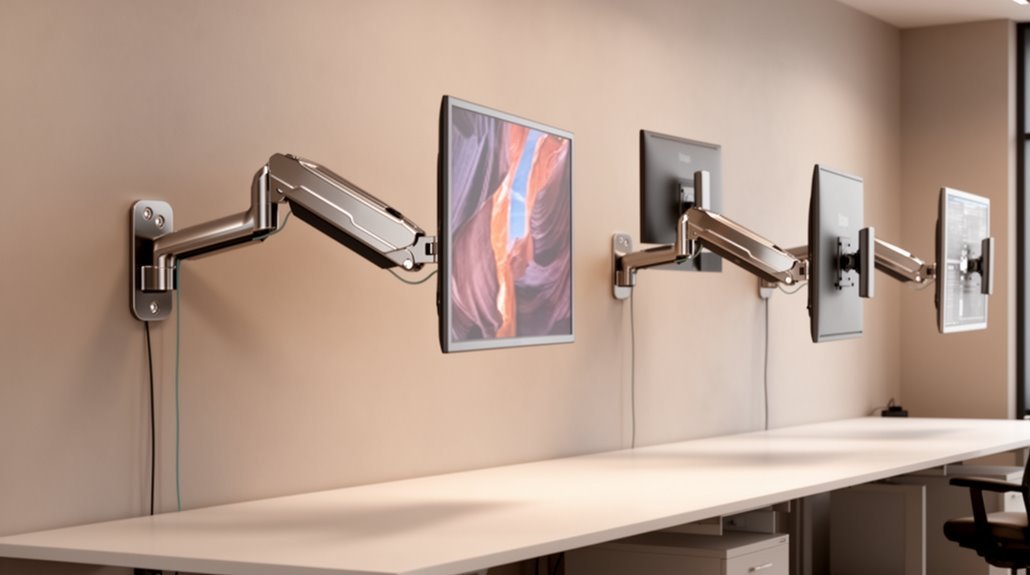
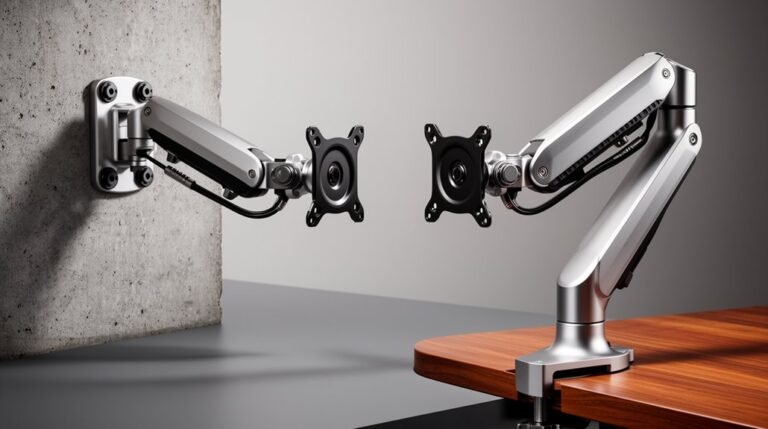
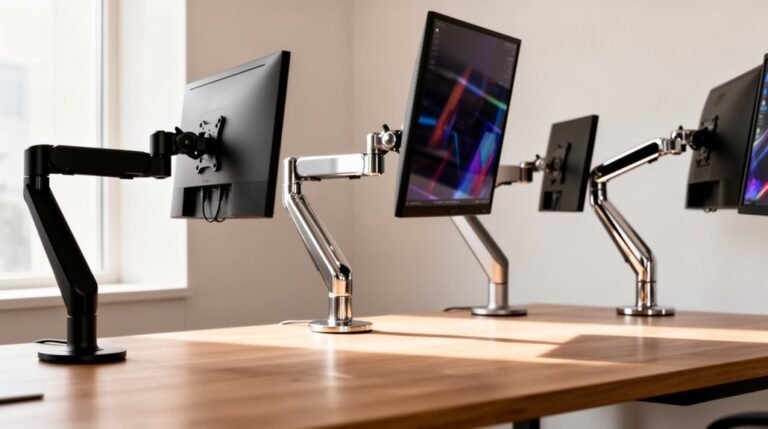
For an organized and ergonomic workspace, wall-mounted monitor arms are essential. Here are the top 5 options to consider:
- MOUNT PRO – Suitable for 13-32 inch screens, this arm provides excellent adjustability and stability.
- HUANUO – Designed for larger 22-35 inch screens, it offers a robust weight capacity and flexible positioning options.
- WALI – Ideal for 13-32 inch LED TVs, this monitor arm combines functionality with a sleek design.
- HUANUO Dual – Perfect for multitaskers, this model supports 17-32 inch screens and allows for dual monitor setups.
- MOUNTUP – Also accommodating 17-32 inch screens, it boasts easy installation and ergonomic features.
Each arm enhances your comfort and productivity through various adjustability features and weight capacities.
Stick around to discover more about their unique features and benefits.
MOUNT PRO Single Monitor Wall Mount for 13 to 32 Inch Screens
If you’re looking for a versatile solution to optimize your workspace, the MOUNT PRO Single Monitor Wall Mount is perfect for you. Designed for 13 to 32-inch screens, it supports weights between 4.4 and 17.6 lbs. Enjoy full motion adjustments with tilting, swiveling, and rotating capabilities to find your ideal viewing angle. With a gas spring system, it maintains stability while allowing you to extend it up to 20.4 inches. Plus, you’ll free up desktop space and keep cords tidy thanks to its integrated cable management. Installation is a breeze, taking just 10 minutes with included hardware.
Best For: Those seeking a space-saving and adjustable monitor mount for 13 to 32-inch screens to enhance their workspace ergonomics.
Pros:
- Full motion adjustments allow for customizable viewing angles with tilts, swivels, and rotations.
- Gas Spring System provides stability and flexibility, ensuring smooth adjustments over time.
- Integrated cable management keeps your workspace organized by concealing cords.
Cons:
- Not compatible with 1000R/1500R/1800R curved screens, limiting options for certain monitor types.
- Installation requires solid concrete or wood stud walls; drywall anchors are not suitable for wood stud installation.
- Limited weight capacity of 17.6 lbs may not accommodate heavier monitors.
HUANUO Computer Monitor Wall Mount for 22″-35″ Screens
Looking for a wall-mounted solution that fits a variety of monitor sizes? The HUANUO Computer Monitor Wall Mount accommodates screens from 22 to 35 inches, supporting weights between 6.6 and 26.4 pounds. With smooth tilt, swivel, and rotation adjustments, you can easily find the perfect viewing angle. Its space-saving design folds flat against the wall and features integrated cable management for a tidy workspace. Plus, the one-handed height adjustment raises your monitor to eye level, reducing neck and back strain. Installation takes under 10 minutes, making it a great choice for any room with solid walls.
Best For: Those seeking an adjustable and space-saving wall mount for monitors between 22 and 35 inches for improved ergonomic comfort.
Pros:
- Smooth adjustments: Offers tilt, swivel, and rotation for optimal viewing angles.
- Space-saving design: Folds flat against the wall with integrated cable management.
- Quick installation: Can be set up in under 10 minutes on solid walls.
Cons:
- Weight limitations: Only supports monitors weighing between 6.6 and 26.4 pounds.
- Wall compatibility: Not suitable for drywall installations.
- Limited height range: Height adjustment may not accommodate all users’ preferences.
WALI Full Motion TV Wall Mount for 13 to 32 inch LED TVs
The WALI Full Motion TV Wall Mount is an ideal choice for those seeking versatility and space efficiency in their home or office setup. This mount accommodates 13 to 32-inch LED TVs, supporting up to 33lbs. With a full motion design, you can tilt ±15°, swivel 180°, and rotate 360° for the perfect viewing angle. Its space-saving features allow it to extend 15 inches from the wall and retract to just 2 inches, keeping your area clutter-free. Installation is straightforward, compatible with various wall types, and the package includes all necessary hardware and a user manual for your convenience.
Best For: Those looking for a versatile and space-saving solution to mount their 13 to 32-inch LED TVs in a home or office setting.
Pros:
- Full motion design allows for optimal viewing angles with ±15° tilt, 180° swivel, and 360° rotation.
- Space-saving features let the mount extend up to 15 inches from the wall while retracting to just 2 inches.
- Easy installation with all necessary hardware included and compatibility with various wall types.
Cons:
- Limited weight capacity of 33lbs may not support larger or heavier TVs.
- Not suitable for installation on drywall alone, requiring solid wall structures like wood studs, brick, or concrete.
- Size compatibility restricted to only 13 to 32-inch TVs, limiting options for larger screens.
HUANUO Dual Monitor Wall Mount for 17-32 Inch Screens
For those who want to maximize their workspace and improve ergonomics, the HUANUO Dual Monitor Wall Mount is an excellent choice. This mount supports 17 to 32-inch screens, allowing you to position two monitors at ideal heights to reduce neck and shoulder strain. With impressive adjustability, you can swivel, tilt, and rotate your screens to find the perfect viewing angle. Its space-saving design frees up valuable desk space and features built-in cable management to keep cords tidy. Plus, assembly is quick and easy, taking under 10 minutes, ensuring you can enjoy your organized workspace in no time.
Best For: Those looking to enhance their workspace ergonomics and save desk space with dual monitor setups.
Pros:
- Supports a wide range of monitor sizes (17-32 inches) and weights (up to 17.6 lbs per arm).
- Offers extensive adjustability with swivel, tilt, and rotation for optimal viewing angles.
- Quick and easy assembly process, taking under 10 minutes with included hardware.
Cons:
- Limited to VESA 75x75mm and 100x100mm compatible monitors.
- May require wall mounting tools and skills, which could be a barrier for some users.
- Not suitable for larger monitors beyond 32 inches.
MOUNTUP Monitor Wall Mount for 17-32 Inch Screens
Ideal for anyone seeking to maximize desk space without sacrificing comfort, the MOUNTUP Monitor Wall Mount accommodates screens from 17 to 32 inches and supports weights up to 17.6 lbs. This versatile mount fits various brands, including ASUS and Dell, and offers impressive adjustability. With its gas spring arm, you can easily rotate your monitor 360°, tilt it up 90° or down 45°, and adjust the height for peak ergonomics. Plus, it folds to just 3 inches from the wall, perfect for tight spaces. Installation is a breeze with clear instructions and included hardware, backed by a 3-year support guarantee.
Best For: Anyone looking to optimize their workspace by mounting a monitor while enhancing ergonomic comfort.
Pros:
- Versatile compatibility with various brands and screen sizes from 17 to 32 inches.
- Gas spring arm allows for smooth adjustments, including 360° rotation and height adjustments.
- Space-saving design that folds to just 3 inches from the wall, ideal for smaller desks.
Cons:
- Limited to screens weighing up to 17.6 lbs, which may exclude heavier monitors.
- Installation may require wall drilling, which could be challenging for some users.
- May not be suitable for users who prefer a traditional desk setup without wall mounting.
Factors to Consider When Choosing Wall-Mounted Monitor Arms
When choosing wall-mounted monitor arms, there are several key factors you should consider. You’ll want to think about screen size compatibility, weight capacity limits, and VESA mount standards to guarantee a secure fit. Additionally, assess the adjustability features and installation requirements to make certain the setup meets your needs.
Screen Size Compatibility
Choosing the right wall-mounted monitor arm means considering screen size compatibility, as not all models support the same dimensions. Generally, monitor arms accommodate screens ranging from 13 to 35 inches, but you’ll need to verify the specific sizes each model supports. If you’re using smaller screens, like those between 13 to 32 inches, be mindful that these arms usually have lower weight limits, often from 4.4 to 33 lbs. On the other hand, larger arms for 22 to 35 inches can support weights from 6.6 to 26.4 lbs. Don’t forget about VESA compatibility, ensuring your monitor can securely attach with common patterns like 75x75mm and 100x100mm. Also, check if the arm accommodates both flat and curved screens.
Weight Capacity Limits
Understanding screen size compatibility is just one part of selecting the right wall-mounted monitor arm; weight capacity limits are equally important. When choosing a monitor arm, check the weight capacity, which usually ranges from 4.4 lbs to 33 lbs, depending on the model. Smaller arms often support up to 17.6 lbs, while larger ones can handle up to 26.4 lbs. Exceeding the specified weight can cause instability or even damage your monitor. To guarantee safe mounting, verify that your monitor’s weight, including any accessories, is within the arm’s limits. By confirming compatibility with your monitor’s weight and dimensions, you’ll secure ideal performance and safety for your workspace. Prioritize this factor for a reliable setup!
VESA Mount Standards
VESA mount standards are essential for ensuring your monitor arm fits perfectly with your screen. These standards define the hole patterns on the back of monitors and TVs, with common dimensions like 75x75mm and 100x100mm. By adhering to these specifications, you can easily attach and detach your monitor without custom solutions. It’s vital to check the VESA compatibility of both your monitor and wall mount before purchasing, as mismatched sizes can lead to improper fitting and potential damage. Additionally, VESA patterns cater to various monitor sizes and weight limits, accommodating displays from 13 inches to over 30 inches. Ensuring compatibility will save you time and hassle while creating an organized and ergonomic workspace.
Adjustability Features Available
When selecting a wall-mounted monitor arm, consider the adjustability features that can enhance your workspace ergonomics. Look for models that offer full motion adjustments, including tilts from +90° to -90°, 180° swivels, and 360° rotations for ideal viewing angles. Smooth, one-handed height adjustments are essential; they let you easily raise or lower the monitor to eye level, reducing neck and back strain. Significant horizontal extension—up to 20.4 inches—ensures your monitor’s positioned comfortably away from the wall. Additionally, a wide range of tilt options, like +35° to -30°, improves comfort during extended use. Gas spring systems provide stability and flexibility, allowing for effortless adjustments while securely supporting your monitor.
Installation Requirements
Choosing the right wall-mounted monitor arm involves several key installation requirements that can greatly impact your setup. First, confirm the mount is compatible with your wall type, as most require installation on wood studs or solid concrete—drywall alone won’t suffice. Next, check the weight capacity of the arm to make sure it can support your monitor’s weight, since different mounts have various limits. Don’t forget to verify VESA compatibility; both your monitor and mount must match standard patterns like 75x75mm or 100x100mm. Finally, review the installation time and complexity—many mounts can be set up in under 10 minutes with the right tools. Considering these factors will help you achieve a seamless installation.
Cable Management Solutions
Effective cable management is essential for creating a clean and organized workspace, especially when using wall-mounted monitor arms. Look for mounts that feature integrated cable management systems, as they help streamline the routing of cords, keeping them organized and out of sight. This not only enhances your workspace’s aesthetic but also minimizes the risk of damaging cables, saving you money on replacements. Plus, fewer visible cables mean easier cleaning and maintenance. Some models even allow for adjustable cable lengths, giving you flexibility in your setup and preventing unsightly loops of excess cable. Choosing the right cable management solution can transform your workspace into a more efficient and visually appealing environment.
Space Optimization Benefits
While wall-mounted monitor arms might seem like a simple addition to your workspace, they offer significant space utilization benefits that can transform how you work. By elevating your monitors off the desk, you free up valuable desktop space, resulting in a cleaner and more organized environment. Many models even fold flat against the wall when not in use, making them perfect for smaller rooms. Integrated cable management systems help keep cords neat and hidden, enhancing your workspace’s aesthetic appeal. Positioning monitors at ideal heights not only improves ergonomics but also reduces neck and back strain. Plus, some mounts allow for extensive extension from the wall, providing you flexible viewing angles tailored to your tasks and preferences, maximizing your workspace efficiency.
Durability and Stability
When selecting a wall-mounted monitor arm, it’s crucial to prioritize durability and stability to guarantee your setup supports your needs over time. First, verify the arm can handle your monitor’s weight—models typically support between 4.4 lbs and 33 lbs. Look for mounts that have passed rigorous durability tests, like 10,000-cycle tests, which demonstrate their ability to endure frequent adjustments. High-grade steel or aluminum materials offer better durability and resistance to wear. Additionally, consider designs with a gas spring system for smooth and stable adjustments. Finally, confirm that the mounting hardware matches your wall type, as using the correct anchors for wood stud, concrete, or brick installations is essential for long-lasting stability in your workspace.
Frequently Asked Questions
Can Wall-Mounted Monitor Arms Support Curved Screens?
Yes, wall-mounted monitor arms can support curved screens, but you need to check the arm’s specifications first. Most arms are designed to accommodate various monitor shapes and sizes, including curved ones. Just verify that the arm can handle the weight and dimensions of your specific curved screen. Installing it correctly will provide you with the ergonomic benefits you’re looking for while keeping your workspace organized and visually appealing.
Are Wall-Mounted Monitor Arms Easy to Install?
Yes, wall-mounted monitor arms are generally easy to install. You’ll typically find them equipped with straightforward instructions and all necessary hardware. Most designs allow you to mount them on various wall types, as long as you have the right tools. Just make sure to locate the studs or use wall anchors for stability. Once installed, you can easily adjust the height and angle for ideal viewing, enhancing your workspace efficiency and comfort.
What Is the Maximum Weight Limit for These Mounts?
Most wall-mounted monitor arms can support weights ranging from 10 to 30 pounds, but some robust models handle up to 50 pounds. Imagine your sleek monitor floating effortlessly above your desk, perfectly secured. To guarantee safety, always check the manufacturer’s specifications. You wouldn’t want to risk a heavy monitor crashing down. So, before you mount, confirm your monitor’s weight and choose an arm designed to hold it securely and gracefully.
Do Monitor Arms Allow for Cable Management?
Yes, monitor arms often come with built-in cable management features. They help you keep your cables organized and out of sight, reducing clutter on your desk. Most designs include clips or channels that guide cables neatly along the arm or wall. By using these features, you can create a cleaner, more professional look while also preventing cable tangling. So, you’ll enjoy both functionality and aesthetics in your workspace!
Can I Use Multiple Monitors With a Single Wall Mount?
Imagine trying to juggle three balls at once; it takes practice and the right setup. You can definitely use multiple monitors with a single wall mount, but you’ll need an adjustable arm designed for that purpose. These arms often support various configurations, allowing you to position your screens side by side or stacked. Just make sure the mount can handle the weight and size of your monitors for ideal viewing and stability.
Conclusion
To summarize, choosing the right wall-mounted monitor arm is like finding the perfect partner for your workspace—supportive, versatile, and designed to enhance your productivity. With options like the MOUNT PRO and HUANUO models, you can transform your setup into an organized and ergonomic haven. So, don’t settle for a cluttered desk; elevate your monitor game and enjoy a cleaner, more efficient environment that boosts your comfort and creativity!