How Often Should You Stand at Your Desk?
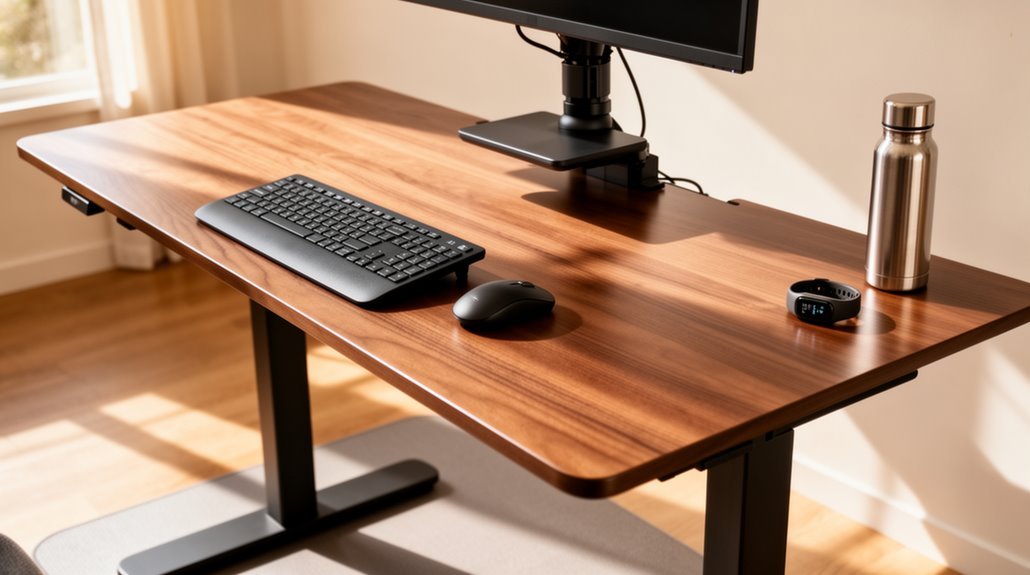
How Often Should You Stand at Your Desk? To promote health, aim to stand at your desk for at least two hours during an eight-hour workday, gradually increasing to four hours.
Use sit-stand ratios like 3:1 or 1:1 for balanced activity — for example, 45 minutes sitting followed by 15 minutes standing. Limit standing sessions to 30–60 minutes each to avoid fatigue.
Take microbreaks every 20–30 minutes to shift posture and move briefly. Tracking your standing time can help you adjust for comfort and effectiveness.
Discover additional strategies to enhance your standing routine and find what schedule works best for you.
Understanding Sit-Stand Ratios
Understanding sit-stand ratios is essential for optimizing your work environment. A commonly recommended ratio is 3:1, which translates to 45 minutes of sitting followed by 15 minutes of standing.
Some experts suggest starting with a 1:1 ratio, or 30 minutes sitting and 30 minutes standing, for effective results. Emerging research indicates that a 1:3 ratio—15 minutes sitting and 45 minutes standing—may offer significant health benefits.
However, these ratios should be adjusted based on your age and individual comfort levels. Frequent shifts between sitting and standing are more important than sticking to a strict ratio. Transitioning every 30 minutes yields noticeable benefits in comfort and productivity.
You’ll find that proper training on using your sit-stand desk can enhance your comfort and overall productivity in the workplace.
Recommended Daily Standing Duration
To promote a healthier work lifestyle, aim for a minimum of 2 hours of accumulated standing or light activity during an 8-hour workday. Health organizations, including Public Health England, endorse this baseline to prevent the health consequences of a sedentary lifestyle. Sedentary lifestyles are linked to various health risks, making it crucial to incorporate standing into your routine.
As you adjust, gradually increase your standing duration to a progressive goal of 4 hours daily. Currently, typical office workers only average 37 minutes of standing, which is far below recommended levels. Improved blood circulation, enhanced cognitive function, and reduced risks of musculoskeletal injuries are some benefits of standing breaks. Implementing microbreaks every 20-30 minutes and standing for 15-30 minutes each hour can help you achieve these standing targets effectively.
Ideal Session Lengths for Standing and Sitting
When working at a standing desk, session lengths for both standing and sitting play a significant role in promoting comfort and productivity.
Ideally, you should stand for about 45 minutes at a time. However, standing for 15–30 minutes each hour strikes a healthier balance, preventing fatigue and joint compression. Limit continuous standing to a maximum of 1.5 hours. Gradually increasing your standing time is essential for long-term sitters will help you adjust better over time.
For sitting, keep sessions to no longer than 30 minutes to avoid prolonged sedentary periods. Incorporate shorter sitting intervals of 10 to 15 minutes between standing. Changing every 30 to 45 minutes helps maintain alertness.
The “sit for 30, stand for 30” model serves as a solid guideline, allowing adjustments based on your body’s response and comfort levels.
Guidelines for New Standing Desk Users
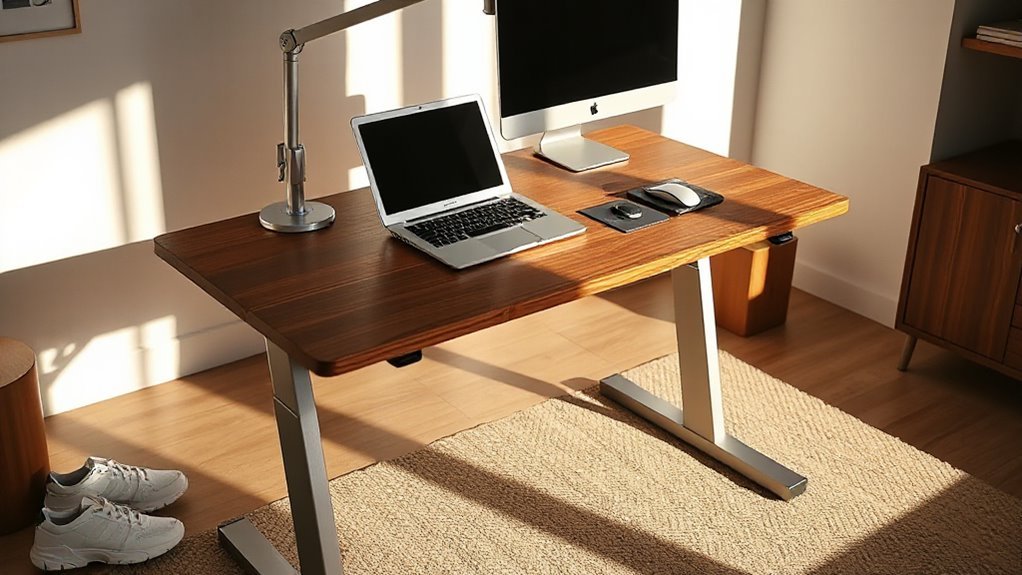
Adopting a standing desk requires attention to ergonomic setup and usage practices to guarantee comfort and productivity.
Set your desk height so your elbows rest at a 90-degree angle while typing. Position your monitor’s top at or just below eye level, maintaining a viewing distance of 20–28 inches to reduce eye fatigue. Use cushioned shoes and anti-fatigue mats to enhance comfort.
Start with 20-30 minute standing intervals, gradually increasing as you adapt. Alternate between sitting and standing to combat fatigue. Track your standing and sitting ratios, adjusting based on comfort.
Maintain a relaxed posture with straight wrists and elbows close to your body to minimize strain. Regularly reassess your setup for ideal ergonomic positioning.
Long-Term Standing Goals and Progression
Establishing effective long-term standing goals starts with a target of at least 2 hours of standing per workday, aiming to increase to about 4 hours for ideal health benefits.
Gradual progression in standing duration allows your body to adapt, reducing fatigue and discomfort. Alternate between standing and sitting to prevent prolonged static postures, which can hinder energy and focus.
Incorporate light movement, like shifting weight or walking short distances, to maintain comfort during extended standing. Target a balance between health improvements, such as reduced risk of chronic conditions, and productivity demands.
Regularly assess your standing intervals based on your comfort and work type to optimize the benefits and minimize the risk of overuse injuries.
Identifying Risk Categories Based on Standing Duration
Understanding the risk categories associated with standing duration helps you assess your workplace habits effectively.
Green Zone: Low Risk
Standing for 30 minutes or less per session keeps fatigue low, and daily standing of 4 hours or less is safe per Dutch guidelines. Continuous standing of 1 hour or less is ideal.
Yellow Zone: Moderate Risk
Standing for 30 to 60 minutes increases exposure risk. Daily standing between 4 to 5 hours requires monitoring for discomfort. Exceeding 1 hour of continuous standing triggers action recommendations.
Red Zone: High Risk
Standing more than 4 hours daily greatly raises musculoskeletal disorder (MSD) and cardiovascular risks. Continuous standing beyond 1 hour, combined with total daily standing over 4 hours, necessitates immediate intervention.
Age-Specific Recommendations for Standing
Different age groups have unique needs when it comes to standing at desks, influencing both ergonomic setups and standing durations.
For children and adolescents, adjustable height desks are essential, promoting proper posture during growth. Set the desk height so forearms rest parallel to the floor, elbows at 90 degrees.
Young adults benefit from programmable standing desks, allowing for height adjustments, with typical settings around 44.8 inches for males and 41.3 inches for females. Limit standing to 15–30 minutes per hour to enhance comfort.
Older adults require precise height settings to reduce strain, often needing additional clearance for mobility aids. Personalize standing time based on individual health, balancing standing and sitting to prevent fatigue and joint stress.
The Importance of Position Alternation
When you switch between sitting and standing at your desk, you greatly enhance your musculoskeletal health.
Alternating positions reduces upper back and neck pain by 32-54% within weeks. Frequent posture changes alleviate muscle fatigue, particularly in the neck and shoulder muscles. Improved spinal alignment occurs with these shifts, decreasing pressure on your spine and preventing disorders.
Variability in posture relaxes spinal compression, reducing chronic pain linked to long periods of static sitting. Additionally, using a standing desk decreases lower extremity pain and muscle stiffness by enhancing joint range of motion.
You should aim to change your posture every 30 minutes, incorporating intervals of 15-30 minutes standing, to maximize these benefits throughout your workday efficiently.
Strategies to Enhance Comfort While Standing
To maximize comfort while standing at your desk, consider several key strategies.
First, use an anti-fatigue mat, which cushions your feet and promotes circulation. Next, wear supportive shoes to minimize foot fatigue.
Adjust your desk height to elbow level, ensuring your elbows remain at a 90-degree angle. Position your monitor slightly below eye level to maintain a neutral neck posture.
Incorporate a footrest or leaning stool to relieve pressure on your legs. Utilize adjustable arm supports and gel mouse pads to enhance wrist comfort.
Finally, take movement breaks every 20–30 minutes, engaging in light stretches and shifts to reduce stiffness.
Implementing these strategies can greatly enhance your standing comfort throughout the workday.
Monitoring Your Progress and Adjustments
Effective monitoring of your standing desk usage is essential for optimizing your work routine. Track your standing time and changes using software monitoring systems, like the UPLIFT Desk App, which estimates standing time and sit/stand changes during an eight-hour workday.
Set daily standing goals to motivate yourself, aiming for eight minutes of standing and two minutes of movement every 30 minutes. Utilize mobile apps and wearable devices for real-time feedback; for instance, the FitBit tracker can remind you to meet movement goals.
Analyze usage metrics regularly to adjust your standing routines based on personal data, including age and weight. This data-driven approach enables you to maximize the benefits of your standing desk effectively.
Frequently Asked Questions
Can Standing Desks Improve Productivity Levels at Work?
Yes, standing desks can notably improve productivity levels at work.
Studies show users experience 45-46% higher productivity than seated counterparts. Alternating between sitting and standing boosts productivity by an average of 23%.
Additionally, 87% of standing desk users report increased energy. Reduced physical discomfort, such as lower back pain, enhances focus.
What Are the Benefits of Using an Anti-Fatigue Mat?
Using an anti-fatigue mat dramatically boosts your comfort level.
These mats reduce fatigue and discomfort by up to 50%, promoting better circulation and encouraging micro-movements. They lower the risk of musculoskeletal disorders, such as lower back pain and plantar fasciitis, by alleviating stress on joints.
Additionally, increased productivity occurs as discomfort decreases, leading to fewer breaks and improved job satisfaction.
How Can I Maintain Focus While Standing?
To maintain focus while standing, you should alternate your position every 30 to 60 minutes.
Incorporate micro-movements or gentle stretches to enhance circulation. Use standing periods for tasks that require higher energy, as this boosts alertness.
Limit distractions in your environment, and practice mindfulness or breathing exercises during position changes.
Make certain your workspace is organized to facilitate smooth shifts, preventing interruptions that could disrupt your concentration.
Are There Specific Exercises to Do While Standing?
Standing Exercises
You can perform several effective exercises while standing. Try calf raises to strengthen your lower legs, or mini squats to engage your core and glutes.
Incorporate shoulder blade squeezes to improve upper back posture. Simple side bends and torso twists maintain flexibility.
Additionally, shifting weight between legs or marching in place stimulates circulation. These movements enhance comfort, reduce fatigue, and support overall musculoskeletal health during prolonged standing periods.
Can I Alternate Between Sitting and Standing During Meetings?
Yes, you can alternate between sitting and standing during meetings. This approach enhances engagement and productivity.
Standing for parts of the meeting can reduce fatigue and improve circulation. You should aim to stand during shorter discussions, ideally lasting under 60 minutes.
Use height-adjustable desks or sit-stand platforms for easy shifts. Encourage participants to find a comfortable balance, as individual preferences vary.
Regular position changes can contribute to overall movement goals and prevent discomfort.
Conclusion
Incorporating standing intervals into your work routine is essential for overall health.
While some might worry about fatigue from standing too long, gradually increasing your standing time can help your body adapt.
Aim for a balance of sitting and standing, using recommended ratios to optimize comfort and productivity.
Remember, even short standing breaks can greatly impact your well-being.
Monitor your progress, adjust as needed, and stay mindful of your posture to enhance your experience at the desk.