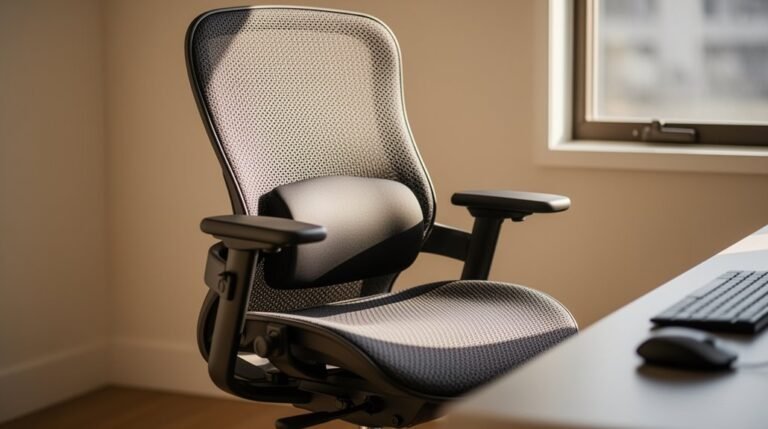
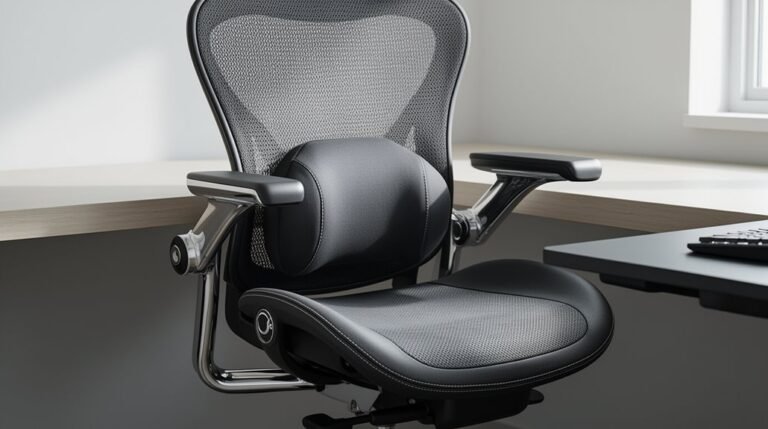
How to Adjust an Ergonomic Chair
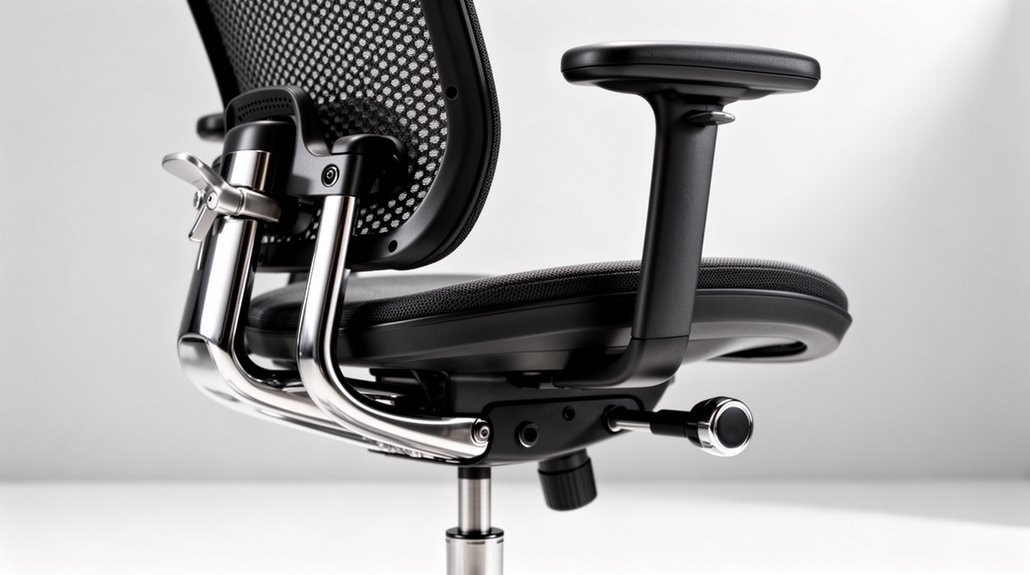
To adjust an ergonomic chair, start with the seat height. Locate the lever on the right side and set the height so your feet rest flat on the floor and your thighs are parallel to the ground. In addition to learning how to adjust office chair height correctly, it’s important to ensure that the backrest is positioned to support your lower back. This will encourage proper posture while you work and reduce strain during long hours of sitting. Don’t forget to adjust the armrests as well, aligning them to allow your shoulders to relax comfortably.
Modify the seat depth next to maintain a 2–4 inch gap behind your knees for proper circulation and comfort.
Position the backrest so the lumbar support aligns with your lower back to preserve the natural curve of your spine.
Adjust the armrests until they lightly touch your elbows and your forearms form a 90-degree angle. Explore additional adjustments for ideal support and ergonomic benefits.
Adjusting Seat Height
To guarantee maximum comfort and support, it’s essential to adjust your ergonomic chair‘s seat height properly.
Start by standing in front of the chair, then locate the lever on the right side. Adjust the seat height so it’s just below your kneecap.
When seated, your feet should rest flat on the floor or on a footrest. Confirm your thighs are parallel to the ground, and your knees form a 90-degree angle or greater with your hips.
If your feet don’t reach the floor, use a footrest for support. Lock the seat height lever once you’ve achieved the correct position.
This adjustment minimizes pressure on your lower back and enhances circulation for improved comfort during extended use. Additionally, a fully adjustable ergonomic chair is crucial if the work surface cannot be changed.
Modifying Seat Depth and Tilt
Adjusting seat depth and tilt is essential for achieving ideal comfort and support in your ergonomic chair. Most chairs have a lever or knob under the seat pan for seat depth adjustment. Aim for a gap of 2-4 inches between the seat edge and the back of your knees to guarantee proper thigh support and full back contact. Measure from your hips to about 2 inches behind your knees while sitting upright. Proper seat depth aligns the pelvis, spine, and legs, enhancing your overall sitting experience. For tilt, locate the adjustment mechanism, typically on the right side. Different mechanisms exist, including central pivot and knee tilt, affecting how the seat and backrest recline. Lock adjustments securely after making them to maintain your preferred settings and enhance overall comfort.
Positioning the Backrest
Positioning the backrest correctly is key for maintaining ergonomic support and comfort during extended periods of sitting.
Adjust the backrest height so the lumbar support aligns with the natural inward curve of your lower back, ideally just above your waist. Ascertain the most protruding part fits snugly against your lower back.
Use the chair’s adjustment mechanism—either a ratchet system or levers—to customize the height for your body shape. The backrest angle should allow a slight recline, typically between 90 and 110 degrees, to relieve pressure under your thighs. Proper adjustments can significantly reduce the risk of lower back strain and encourage good posture throughout your workday.
Adjust backrest tension to maintain support while allowing movement. Proper adjustments reduce the risk of lower back strain and encourage good posture throughout your workday.
Setting Armrest Height and Width
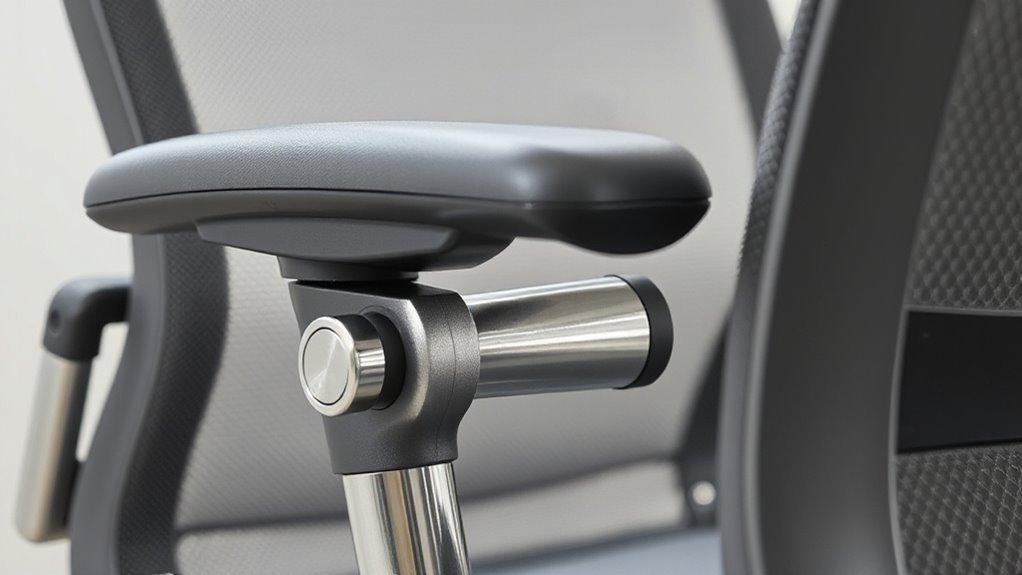
How can you guarantee that your armrests provide the perfect support for your arms? Start by adjusting the height.
Sit fully back in your chair, keeping your feet flat and knees at about 90 degrees. Let your arms hang naturally, with elbows bent at 90 to 100 degrees. Raise or lower the armrests until they gently touch the undersides of your elbows, making sure your shoulders stay relaxed.
Next, adjust the width. Move the armrests closer or farther to fit your body width and working posture. Proper width prevents excessive reaching or hunching, reducing strain.
Make sure both height and width complement your desk height for the best ergonomic alignment, contributing to a comfortable sitting experience.
Ensuring Chair Stability and Mobility
Ensuring chair stability and mobility is essential for a productive work environment. A well-designed ergonomic chair enhances your comfort and efficiency. ergonomic chair benefits for posture are often overlooked, yet they play a crucial role in maintaining spinal alignment throughout long hours of sitting. By promoting a neutral spine position, these chairs can reduce the risk of back pain and increase overall productivity. Investing in an ergonomic chair not only enhances comfort but also leads to long-term health benefits that support an active lifestyle.
Focus on these key features:
- Base Design: Opt for a five-point base for stability, distributing weight evenly to reduce tipping risk.
- Caster Selection: Choose hard casters for carpeted floors and soft casters for hard surfaces. Larger caster wheels (75mm+) improve mobility on uneven surfaces.
- Height Adjustment: Utilize gas lift cylinders rated for 100,000+ cycles, ensuring your chair accommodates users of various heights while keeping feet flat on the floor.
Regularly inspect components like screws and gas lifts to maintain safety and functionality.
Prioritize these aspects to enhance your ergonomic seating experience.
Considering Additional Ergonomic Factors
While you may have already optimized chair stability and mobility, it’s important to address additional ergonomic factors that enhance comfort and support during prolonged sitting.
Adjust Seat Depth: Make sure your seat depth supports your thighs fully, leaving about 5 cm (2 inches) of clearance behind your knees to promote circulation.
Fine-Tune Lumbar Support: Adjust the lumbar support to fit the inward curve of your lower spine, reducing the risk of low back pain.
Position Armrests Correctly: Set armrests to maintain your elbows at a 90-degree angle, which reduces strain on your shoulders and neck.
Adjust Recline and Tilt: Use recline angles between 100°-125° to minimize spine pressure.
Consider Headrest Positioning: Make sure your headrest supports your cervical spine, preventing neck strain during extended sitting.
Frequently Asked Questions
How Often Should I Adjust My Ergonomic Chair?
You should adjust your ergonomic chair every few weeks to guarantee ideal support.
If you experience discomfort or pain, adjust it immediately.
Additionally, reevaluate your chair settings every 3–6 months for peak posture alignment.
Changes in your work routine may also require quick adjustments.
To promote dynamic sitting, consider altering recline and tilt settings every few hours, while taking standing breaks every 30–60 minutes to enhance circulation and reduce strain.
Can Adjusting My Chair Improve My Productivity?
Yes, adjusting your chair can greatly improve your productivity. Proper height and lumbar support enhance your posture, reducing back pain by up to 50%.
When your chair fits your body, you maintain focus longer, completing tasks efficiently. Additionally, adjustable armrests can alleviate strain on your shoulders, fostering a comfortable work environment.
Studies show that ergonomic interventions can boost productivity by up to 15%, making these adjustments essential for maximizing your output.
What Materials Are Best for Ergonomic Chair Upholstery?
Mesh is ideal for breathability and flexibility. It conforms to your body, enhancing ergonomic support.
Fabric offers softness and a variety of textures, but may trap allergens. Leather and faux leather provide durability and easy maintenance, though they lack breathability.
Consider tight-weave fabrics for longevity. Evaluate your environment and personal preferences when selecting materials, balancing comfort, durability, and maintenance needs for peak performance in your ergonomic chair.
Are There Specific Chair Features for Tall Individuals?
Tall individuals benefit from features like extended backrests over 26 inches, providing upper back support.
Adjustable seat height ranges from 16.5” to 22.5” accommodate longer legs. Deeper seat pans, measuring 20-22 inches, enhance comfort by preventing pressure behind the knees.
Armrests should offer 6D adjustments for proper positioning, while integrated lumbar support caters to varying spinal curves.
Additionally, robust frames support weight capacities between 350 to 500 lbs, ensuring stability and durability.
How Do I Maintain My Ergonomic Chair for Longevity?
To maintain your ergonomic chair, clean it weekly with a microfiber cloth to prevent dust buildup.
Tighten screws and bolts every six months to guarantee stability.
Apply silicone lubricant to casters and adjustment mechanisms to reduce noise.
Avoid extreme temperatures and direct sunlight to protect materials.
Use chair mats on hard surfaces to reduce wear on casters.
Finally, schedule professional servicing for high-end chairs every few years for peak performance.
Conclusion
Adjusting your ergonomic chair is crucial for ideal comfort and support.
Fine-tune the seat height, depth, backrest, and armrests to create a customized fit that promotes healthy posture.
Ensure stability and mobility so you can move seamlessly throughout the day.
Think of your chair as a tailored suit—each adjustment is a stitch that enhances your overall well-being.
Prioritize these adjustments to maximize productivity and reduce discomfort. A well-fitted chair can greatly improve your daily experience at work.