Cable Management Tips for a Tidy Desk
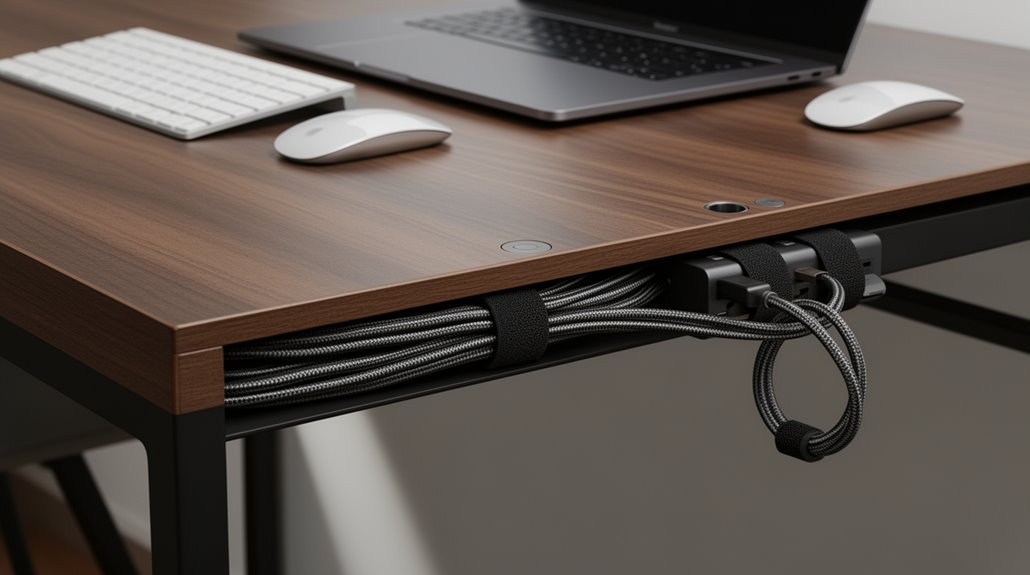
Cable management is the foundation of a tidy desk. Begin by evaluating your cable needs: organize cables by device and document each connection so you know what goes where.
Use under-desk trays to secure power strips and keep them off the floor. Short cable ties help reduce tangling and keep bundles neat.
Implement floor covers for safety, and consider wall-mounted solutions to keep cords elevated and out of walkways. Label cables with color-coded tags for quick identification.
Finally, conduct regular maintenance checks to replace damaged cables. Follow these tips, and you’ll likely discover additional strategies for enhancing workspace efficiency.
Assessing Your Cable Needs
When you start organizing your cables, the first step is to assess your current setup. Document all devices needing power, data, or audio connections. Identify cables in use and those that are obsolete. Inspect each cable for damage, fraying, or wear before proceeding.
Separate functional cables from those requiring replacement. Next, create a visual map of device locations and their connection requirements.
Count the total number of devices needing power. Check if existing outlets meet your demands. Identify opportunities for consolidating connections, using centralized power solutions where possible. Measure exact distances from power sources to each device, ensuring minimal slack. Additionally, remember that proper cable management is essential for fully utilizing desk height for health advantages.
Finally, assess which peripherals can shift to wireless alternatives, reducing cable clutter and enhancing flexibility in your workspace.
Utilizing Under-Desk Cable Solutions
To streamline your workspace and enhance organization, under-desk cable solutions offer a range of practical options. Cable trays, available in various sizes, securely mount under desks to hold power strips and cables, reducing clutter. Reusable cable ties, clips, and clamps bundle cables efficiently, allowing for easy adjustments. Cable spines organize vertical cable runs, expandable from 150mm to 1300mm, accommodating different desk heights. Under-desk covers, made of durable plastic or metal, hide cables to prevent tangling and improve appearance. Additionally, clamp-on power strips provide easy access to outlets while minimizing cable clutter. Proper installation involves securely mounting trays using screws, and planning cable routes to avoid excessive bending, ensuring ideal cable lifespan and safety. Effective cable management can significantly enhance productivity and create a more pleasant work environment.
Organizing Desk Surface Cables
Organizing desk surface cables is an essential step in maintaining an efficient and tidy workspace. Start by shortening long cables using adjustable VELCRO® Brand ONE-WRAP® ties or zip ties to reduce tangling. Group cables running in the same direction with multi-cable clips, keeping pathways clear. Use adhesive or magnetic cable clips to secure cables to the desk surface, preventing them from falling. Position clips 2-3 inches from the edge for ideal cable management. Additionally, consider shortening long cables to enhance organization and reduce clutter. Label cables at both ends for easy identification, employing color-coded ties for different types. Finally, route cables strategically to minimize clutter and guarantee easy access to power strips. These techniques enhance organization, improve functionality, and streamline your workspace.
Managing Floor and Wall Cables
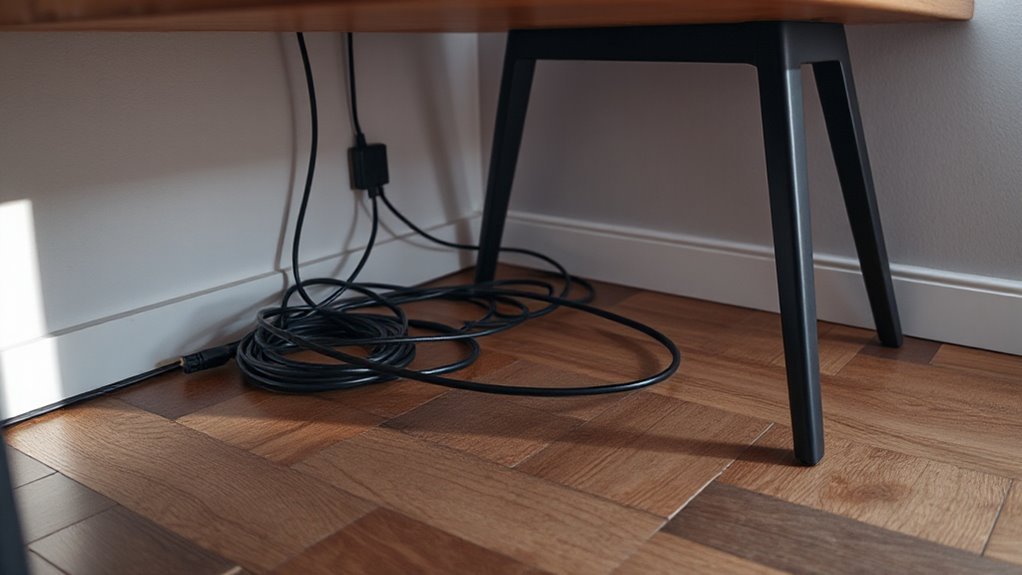
Managing floor and wall cables is essential for maintaining safety and aesthetics in any workspace. Raised access floors, like PowerFlor and Cabloor, allow cables to run underneath, providing a clean appearance. These systems range from 1.5 to 6 inches in height, facilitating easy relocation of power and data outlets.
For surface-level management, consider floor cable covers that protect cords and reduce tripping hazards. Available in rubber and plastic, these covers suit various environments. Additionally, floor-based raceways from brands like Legrand offer low-profile options for distributing power and data without disrupting space.
Wall-mounted solutions keep cables organized and off the floor, while baseboard managers maintain a tidy appearance, integrating seamlessly with your room’s design.
Implementing Cable Consolidation Hubs
Implementing cable consolidation hubs can greatly enhance your workspace’s efficiency and aesthetics. These hubs centralize multiple cords into a single access point, reducing clutter and minimizing tangling.
Desktop docking stations, USB hubs, and power strips with integrated management features offer versatile connectivity options. Look for hubs with built-in surge protection and multiple outlets for device safety.
Position the hub centrally for balanced cable reach, and use Velcro straps to secure cords. Label each cable for quick identification, ensuring you can troubleshoot easily.
Regularly inspect connections for wear to maintain safety. By streamlining device setup and reducing electrical issues, these hubs create a cleaner, more focused work environment, ultimately improving your productivity.
Advanced Cable Management Options
In today’s workspaces, efficient cable management is essential for enhancing both functionality and aesthetics.
Consider concealed cable routing systems like the Helix model, which expands from 70 cm to 110 cm for height-adjustable desks. The VersaTop system prioritizes aesthetics for executive desks, while the VersaTurn 3.0 power strip features a motorized retractable rotation mechanism for easy access.
Under-desk cable trays create dedicated pathways, keeping cables off the floor. The BTOD Ultimate Cable Management Box holds up to 50 pounds with eight cable portals.
For a clean look, desk skirts like VIVO’s DESK-SKIRT-24 conceal cables along the edge.
Finally, integrated power solutions, such as the VersaPad, centralize connections for a streamlined workspace.
Labeling and Color-Coding Cables
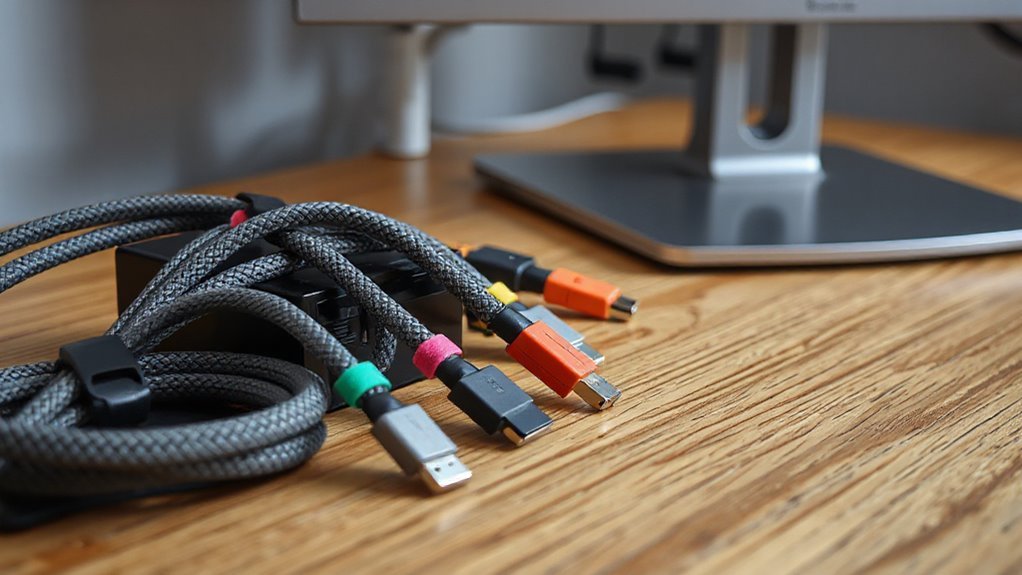
Labeling and color-coding cables considerably enhances organization and troubleshooting efficiency in any workspace. Place labels at both ends of each cable for clear identification. Use durable, legible materials that resist fading and environmental damage. Include essential details like cable ID, source, destination, type, and length on each label. Position labels in visible areas to avoid interference with other cables.
For color-coding, adhere to ANSI/TIA-606-B standards; for example, blue typically denotes LAN connections, while red indicates critical services. Use color-coded labels or bands consistently across all sites to minimize confusion.
Employ tools like cable tags, adhesive labels, or heat-shrink sleeves for labeling. Regularly audit your labeling system to guarantee accuracy and compliance with network changes.
Creating a Cable Layout Plan
Creating a cable layout plan is an essential step in optimizing your workspace’s efficiency. Start by evaluating your current cable inventory and workspace layout. Document all existing cables and devices, then measure your desk dimensions and equipment placement.
Here are key steps to take into account:
- Sketch a detailed diagram showing equipment locations and cable routes.
- Measure distances between components to determine appropriate cable lengths.
- Plan separate pathways for power and data cables to minimize interference.
- Account for future needs by allowing for 30-50% extra capacity in your design.
This structured approach will help you maintain a tidy workspace and enhance your productivity while ensuring that your cables are well-organized and easily accessible.
Regular Maintenance and Updates
Regular maintenance and updates are essential for guaranteeing the longevity and functionality of your cable management system.
Start with routine inspections, checking cables for wear like fraying or kinks, which can lead to failures. Clean cables and connectors to remove dust, using soft brushes or vacuum attachments.
Use Velcro straps for bundling instead of zip ties, as they prevent strain. Properly label cables with color-coded tags for easy identification, and keep an updated inventory or diagram for troubleshooting.
Regularly replace damaged cables to guarantee safety. Monitor cable placement to minimize dust accumulation, and store cables in dry environments.
Finally, reassess your cable layout periodically to adapt to new equipment or workspace changes, guaranteeing efficiency.
Aesthetic Considerations for Cable Management
A well-maintained cable management system not only enhances functionality but also contributes to the overall aesthetics of your workspace. organizing cables in home office can significantly reduce clutter, making it easier to focus on tasks at hand. By utilizing cable management solutions such as cord sleeves and clips, you can create a more streamlined environment that promotes productivity. Additionally, a tidy workspace can lead to improved morale and a sense of accomplishment.
To achieve a clean, professional look, consider these options:
- Use under-desk trays and cable boxes designed with minimalist aesthetics to blend seamlessly with modern setups.
- Integrate cable management solutions, such as built-in channels in desks, for a unified appearance.
- Routinely hide cables through under-desk trays or raceways, reducing visual clutter.
- Implement color-coded labels or Velcro straps to enhance organization while maintaining a cohesive design.
Frequently Asked Questions
What Types of Cables Are Most Commonly Used in Home Offices?
In home offices, you’ll commonly encounter Ethernet cables, such as Cat5e, Cat6, and Cat6a, for reliable networking.
Cat5e supports speeds up to 1 Gbps, while Cat6 offers up to 10 Gbps over shorter distances.
Coaxial cables, especially RG-6, are used for broadband and TV connections.
USB and HDMI cables facilitate connections for peripherals and multimedia.
For older systems, telephone cables (Cat3 or Cat5) may still be utilized.
These cables guarantee stable communication and connectivity.
How Do I Choose the Right Cable Ties or Straps?
To choose the right cable ties or straps, consider the following factors:
Material: Opt for nylon for indoor use; stainless steel suits outdoor or harsh conditions.
Tensile Strength: Select ties based on bundle weight—mini ties work for light loads, while heavy-duty ties handle up to 350 lbs.
Size: Match length and width to your cables.
Reusability: Choose reusable options like Velcro for adjustable needs, or standard ties for permanent solutions.
Are There Eco-Friendly Cable Management Solutions Available?
Yes, there are eco-friendly cable management solutions available.
You can use biodegradable zip ties made from natural fibers like bamboo and cotton.
Recycled steel cable trays minimize waste and enhance durability.
Modular designs allow for efficient installation with reduced fabrication needs.
Additionally, reusable cable ties cut down on replacement costs.
Some companies offer products that are both non-toxic and support sustainable practices, promoting environmentally friendly organization in your workspace.
Can DIY Cable Management Solutions Be Effective?
Yes, DIY cable management solutions can be effective.
For instance, using PVC pipes, you can create customized cable channels. These channels allow for flexible arrangement, accommodating frequent adjustments better than fixed systems. Proper routing guarantees safe separation of power and data lines, minimizing hazards.
Furthermore, DIY methods like adhesive clips maintain cable integrity while reducing clutter. However, make sure you plan carefully to avoid potential complications, such as inefficient maintenance or cable damage.
What Tools Are Needed for Cable Management Projects?
To tackle cable management projects effectively, you’ll need several tools.
Start with cable trays and raceways for routing and concealing cables beneath your desk. Use clips and clamps for organizing cables along surfaces.
Consider cable sleeves and bundling materials for aesthetic appeal. Specialty solutions like grommets and magnetic organizers enhance functionality.
Finally, a power strip or surge protector should fit within the space efficiently, ensuring all devices remain powered without clutter.
Conclusion
Effective cable management transforms your workspace into a functional and organized environment.
Start by evaluating your needs so you can choose the right solutions. Use under-desk trays, clips, and cable sleeves to keep cords out of sight and prevent tangles.
Implement labeling systems to make cords easy to identify and unplug when needed. Regular maintenance — a quick tidy every few weeks — keeps everything tidy and accessible.
Just as Da Vinci organized his workspace for creativity, you can create an efficient desk that enhances productivity. Prioritize these practices and enjoy a clean setup that supports focus and efficiency.