Ergonomic Habits for a Healthier Workday

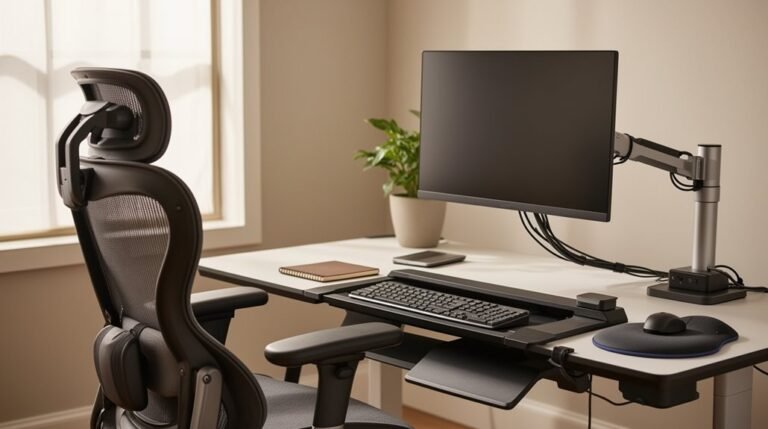
Ergonomic habits for a healthier workday start with adjusting your workstation for ideal comfort. Confirm your chair supports your lumbar region and allows for height adjustments to keep your spine aligned.
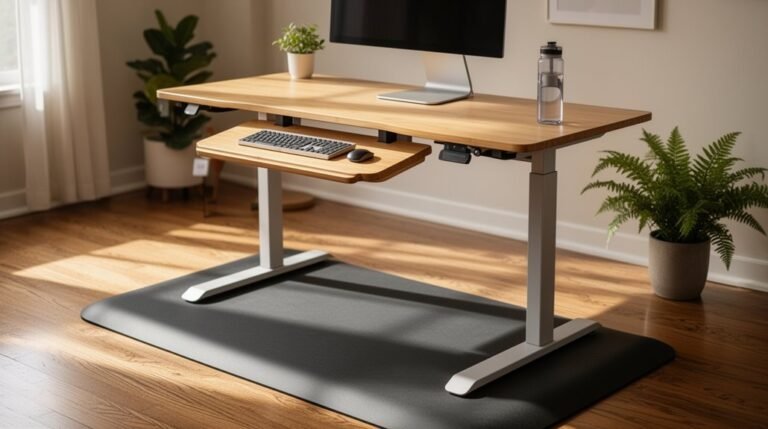
Position your keyboard directly in front of you and keep your wrists straight to reduce strain. If possible, use a sit-stand desk to break up long periods of sitting and promote circulation.
Take regular movement breaks to relieve muscle fatigue and reset posture. Organize your workspace to minimize unnecessary reaching and twisting, which can lead to discomfort.
Learn more about specific strategies for enhancing your ergonomic setup and improving productivity.
Understanding Ergonomics in the Workplace
When you consider ergonomics, it’s essential to recognize its role in shaping a safer and more efficient work environment. Ergonomics is the science of designing work tasks, equipment, and environments to fit your capabilities and limitations. Its primary goal focuses on reducing and preventing musculoskeletal disorders and other work-related injuries. By enhancing safety, comfort, and productivity, ergonomics minimizes physical strain and stress on your body.
Key principles include designing tasks to suit you, not forcing adaptation. It emphasizes reducing awkward postures and repetitive motions while ensuring tools and workspaces support ideal joint positions. Implementing ergonomics safety practices can significantly reduce workplace injuries and improve overall employee well-being. Understanding these factors can help you create a workspace that enhances both your physical well-being and overall productivity.
The Benefits of Ergonomic Training
Ergonomic training offers substantial benefits that enhance workplace safety and efficiency. It consistently reduces musculoskeletal injuries by 20-40%, as confirmed by NIOSH studies. OSHA recognizes that effective ergonomic training lowers injury rates considerably. Additionally, multiple organizations provide evidence of the effectiveness of ergonomic training in reducing injuries.
Financially, employers save between $9 billion and $23 billion annually due to reduced compensation costs. For every dollar spent on training, there’s an average return of 57.3%. Additionally, ergonomic programs decrease employee turnover by 48% and absenteeism by 58%. Training improves workstation habits, leading to better posture and reduced risks of chronic conditions like tendonitis and back pain.
Key Ergonomic Principles for Workstations
Workstation Dimensions and Layout: Confirm your workstation is spacious enough for tasks without excessive twisting or reaching. Maintain clear leg space under the desk, free from obstructions. Adjustable height of work surfaces can significantly improve ergonomic conditions, allowing for better comfort during prolonged tasks.
Chair Features and Adjustability: Use an adjustable chair for seat height and backrest angle. Opt for a swivel base with five castors for stability.
Monitor and Screen Placement: Align your primary monitor centrally with your keyboard, keeping the top line of the screen between 35” and 46” above the floor.
Desk Height and Surface Adjustability: Adjust your desk height so your forearms are parallel to the floor while seated.
Equipment Placement: Position your keyboard directly in front, confirming wrists remain straight and upper arms close to the body.
Improving Posture and Reducing Discomfort
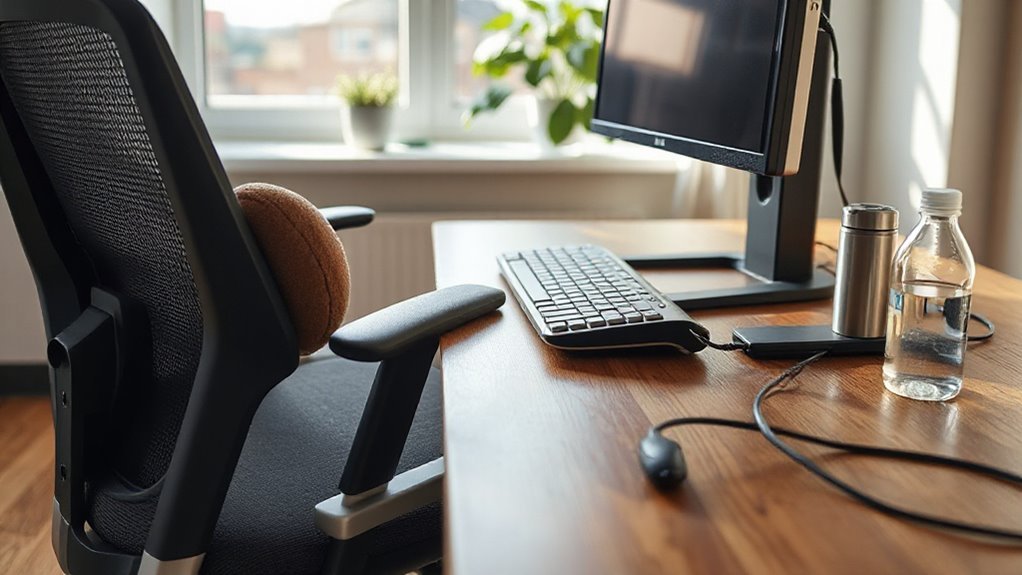
Improving your posture and reducing discomfort at work requires an understanding of both ergonomic principles and practical strategies.
Implementing interventions, such as sit-stand desks, can greatly enhance your sitting posture. Research indicates that these desks reduce daily sitting time by up to 66 minutes and improve posture immediately.
Regular movement breaks, combined with ergonomic workstation design, also help alleviate muscle fatigue, particularly in your neck and shoulders. Frequent posture changes decrease discomfort and prevent stiffness, especially after prolonged sitting.
Though evidence quality for these interventions is rated low, many workers report increased productivity and comfort when adopting these practices.
Consistent reinforcement of these habits is essential for long-term musculoskeletal health and overall well-being.
Ergonomic Equipment: Choosing the Right Tools
When selecting ergonomic equipment, understanding the specific needs of your workspace is essential for maximizing comfort and efficiency.
Here are four key tools to evaluate:
- Ergonomic Chairs: Look for adjustable options that provide lumbar support, allowing for personalized height and tilt adjustments.
- Height-Adjustable Desks: These desks enable you to alternate between sitting and standing, promoting better circulation and reducing fatigue.
- Ergonomic Keyboards and Mice: Choose devices designed to minimize wrist strain, featuring split designs and natural hand positions to prevent injuries.
- Monitor Arms: Utilize fully articulating arms to adjust screen height and distance, reducing neck strain and enhancing viewing comfort.
Making informed choices about these tools will greatly improve your workspace ergonomics.
The Impact of Ergonomics on Productivity
Ergonomics greatly influences workplace productivity by optimizing employee comfort and efficiency. Studies show that ergonomic improvements in computer-intensive environments lead to a 4.87% productivity increase, while control groups experienced a 3.46% decrease over 12 months.
Customized ergonomic adjustments combined with training can yield up to 9.43% productivity gains, surpassing equipment-only interventions. Ergonomic workstations reduce non-value-added motions by 27%, enhancing workflow efficiency.
Additionally, adjustable furniture improves usability by 64–76%, enabling diverse employee groups to work effectively. By reducing discomfort and fatigue, ergonomics enables sustained focus, leading to higher output.
Organizations applying ergonomic practices report a 32% reduction in healthcare costs related to work-related injuries, further emphasizing the critical link between ergonomics and productivity.
Strategies for Desk Organization and Setup
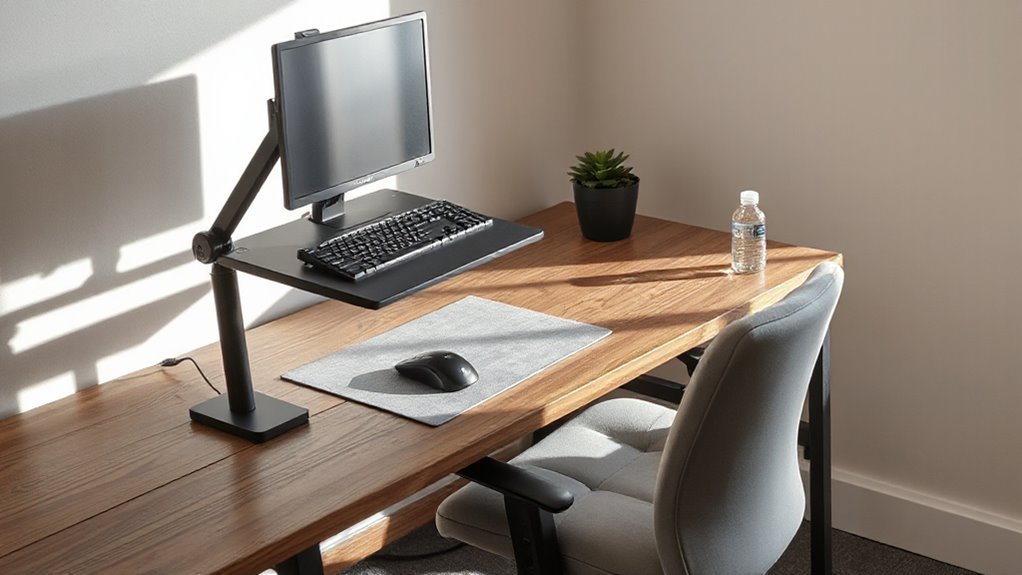
To create an effective workspace, focus on ideal desk organization and setup that promotes comfort and efficiency. Here are four key strategies:
- Adjust Desk and Chair Height: Set your desk height to allow elbows at a 90-degree angle while typing. Choose a chair that keeps your feet flat on the floor and knees at a 90-degree angle.
- Position Your Monitor: Confirm the top of your monitor is at or slightly below eye level. Place it directly in front of you, 20–40 inches away.
- Organize Your Keyboard and Mouse: Position your keyboard so your arms hang relaxed, and keep your mouse close to minimize reaching.
- Maintain a Clutter-Free Workspace: Keep essential items within easy reach to enhance efficiency and reduce strain.
Addressing Musculoskeletal Disorders
Addressing musculoskeletal disorders (MSDs) in the workplace requires a systematic approach to prevention and management. Approximately 71.9% of office workers report experiencing work-related MSDs.
Lower back injuries account for about 40% of these cases, while upper extremities, including wrists and hands, represent nearly one-third. Workers aged 45 to 64 show the highest incidence of MSDs, particularly in industries like transportation and warehousing.
Awkward posture, sustained positions, and repetitive motions greatly contribute to MSD development. The economic burden of these disorders is substantial, with estimated costs reaching $45 to $54 billion annually.
Fostering Employee Well-Being Through Ergonomics
Fostering employee well-being through ergonomics involves creating work environments that prioritize comfort, health, and productivity.
Implementing ergonomic strategies can greatly impact various aspects of the workplace, such as:
- Job Satisfaction: Ergonomic interventions enhance employee engagement and motivation, reducing turnover risk.
- Mental Health: Thoughtful workspace design lowers stress and improves overall mental well-being, decreasing burnout rates.
- Absenteeism: Ergonomic programs can cut lost workdays by up to 88%, minimizing work-related injuries and illnesses.
- Productivity: Employees in ergonomically designed spaces experience reduced fatigue, leading to higher output and quality of work.
Measuring the Return on Ergonomic Investments
Measuring the return on ergonomic investments is essential for understanding their financial impact on a business. Ergonomic programs typically yield returns of 3–6 times the initial investment over three years. Some interventions boast a benefit-to-cost ratio as high as 25:1.
Companies often see a complete return within 8–16 months, with some cases achieving payback in as little as 7.3 months. Direct benefits include reduced worker’s compensation claims, with costs per injury claim dropping by up to $16,500.
Indirectly, ergonomics can boost productivity by 25% and improve employee retention by 40–50%. To calculate ROI, use the formula (benefits – costs) / costs, incorporating both direct and indirect savings for accurate assessments.
Frequently Asked Questions
How Can I Encourage My Team to Adopt Ergonomic Habits?
To encourage your team to adopt ergonomic habits, start by implementing regular training sessions.
These sessions can improve awareness about posture and reduce injuries. Provide ergonomic assessments and personalized workstation recommendations.
Utilize technology, like smart desks, to give real-time feedback on posture. Foster a supportive culture by integrating stretching routines and mindfulness activities.
Finally, use gamification to engage employees in health-related challenges, boosting participation and adherence to ergonomic practices.
What Are Some Simple Ergonomic Tips for Working From Home?
Monitor Setup: Position your monitor at eye level, ensuring it’s centered to maintain a neutral posture.
Chair Selection: Use an ergonomic chair with proper back support, keeping your arms at a right angle.
Workstation Configuration: Place your keyboard and mouse close, keeping your wrists straight and elbows slightly below shoulder height.
Movement Practices: Take breaks every 20 minutes, looking at something 20 feet away for 20 seconds, and alternate between sitting and standing.
How Often Should I Take Breaks for Optimal Ergonomics?
You should take breaks every 20 to 30 minutes for ideal ergonomics.
Short, active microbreaks lasting 2 to 3 minutes can greatly reduce discomfort and fatigue.
After 60 minutes of continuous work, errors increase by nearly 80%.
Longer breaks of up to 10 minutes every hour enhance performance, particularly for creative tasks.
Engage in physical activities or relaxation techniques during breaks to maximize recovery and maintain productivity throughout your workday.
Can Ergonomic Habits Improve My Mental Well-Being at Work?
Yes, ergonomic habits can greatly enhance your mental well-being at work. When you adjust your chair height, maintain a neutral wrist position, and make sure your screen is eye-level, you reduce physical discomfort.
This minimizes distractions, allowing you to focus better. Comfortable setups lower stress and irritability, promoting emotional stability.
Additionally, personalizing your workspace fosters a sense of control, enhancing psychological safety and ultimately improving your overall job satisfaction and performance.
What Signs Indicate That I Need an Ergonomic Assessment?
You need an ergonomic assessment if you experience frequent discomfort in joints or muscles.
Look for signs like localized pressure from workstation contact or persistent pain in specific areas.
Awkward postures during tasks, such as prolonged reaching or twisting, indicate risk.
Additionally, if your productivity declines or absenteeism increases, these may signal unaddressed ergonomic issues.
Changes in equipment or workspace without adjustments also warrant immediate reevaluation to prevent injuries and enhance comfort.
Conclusion
Incorporating ergonomic habits into your workday can greatly enhance your health. Studies show that proper ergonomic practices can reduce workplace injuries by up to 50%.
By understanding ergonomic principles and utilizing the right equipment, you can improve your posture and minimize discomfort.
Simple adjustments to your workstation setup can lead to increased productivity and overall well-being.
Prioritizing ergonomics isn’t just beneficial for you; it also contributes to a healthier, more efficient workplace environment.