How to Manage Cables on a Standing Desk
How to Manage Cables on a Standing Desk
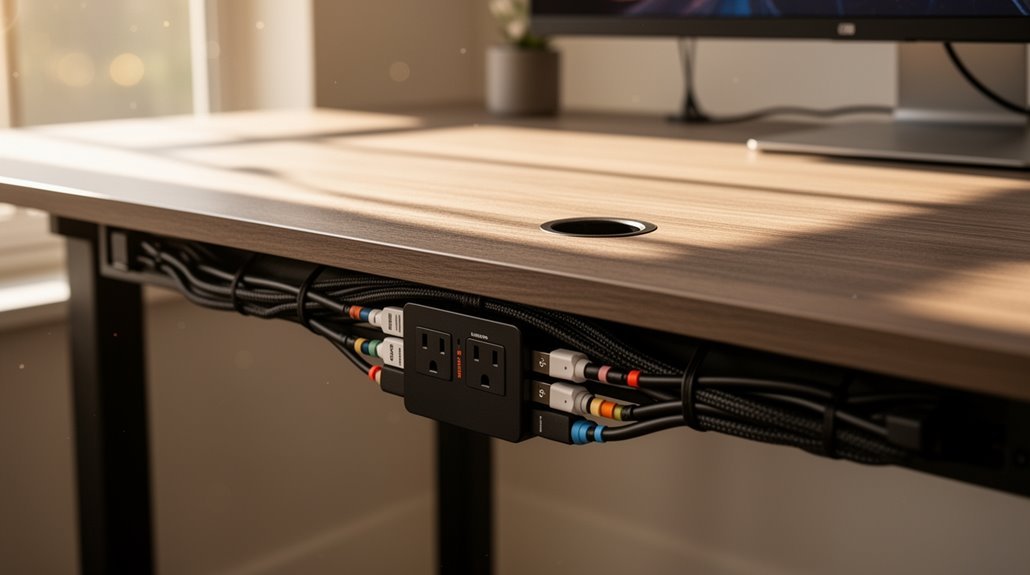
To manage cables on your standing desk, start by installing under-desk cable trays. These keep cords off the floor, eliminate trip hazards, and prevent accidental damage to cables and equipment.
For easy installation, choose adhesive-backed or magnetic raceways. Cable sleeves give a tidy appearance by bundling multiple cords together and hiding clutter from view.
Secure power strips under the desk to centralize outlets and improve organization. Use surge protectors to safeguard your devices from power spikes.
Finally, add cable clips and anchors to keep cords neatly aligned and prevent them from slipping. Continue on to explore additional tips for ideal workspace organization.
Benefits of Using Under-Desk Cable Trays
Under-desk cable trays offer significant advantages for managing workspace wiring. They eliminate trip hazards by keeping cables off the floor and organized. This containment prevents accidental damage from desk legs or chair wheels rolling over wires. Additionally, they reduce the risk of tangled cords, which can create safety issues. By protecting cables during height adjustments on sit-stand desks, under-desk trays minimize the risk of crimping and crushing. This protection extends wire lifespan, reducing the need for frequent replacements. Moreover, these trays create designated storage for power strips and adapters, enhancing workspace organization. They simplify maintenance, allowing easy access to cables while improving the visual appeal of your setup by hiding unsightly wires. Implementing cable management solutions can further enhance the effectiveness of these trays.
Choosing the Right Cable Raceways and Pathways
When selecting cable raceways and pathways for your standing desk, consider the specific needs of your workspace. Adhesive-backed raceways provide easy installation, ideal for flexible placements. Magnetic channels attach securely to metal frames, moving with height adjustments to prevent dragging. Flexible raceways bend around corners, keeping cables protected and organized. Additionally, consider incorporating a cable management solution like the Crank Adjustable 60 Standing Desk Bundle with Cable Tray to enhance your setup further. Plastic or metal cable spines guide cables vertically, accommodating movement with weighted bottoms for stability. Choose raceways based on durability, guaranteeing they can support multiple cables without wear. Installation options vary; adhesive backing suits smooth surfaces, while screw-mounted raceways offer security for heavier cables. Confirm raceway size accommodates your cables’ thickness, avoiding overcrowding and promoting longevity in your cable management system.
Effective Securing and Bundling Techniques
Managing cables effectively requires strategic bundling and securing methods that enhance both function and appearance. Start by using cable sleeves to create a uniform look for multiple cables. Velcro ties offer a reusable option for adjustments, while zip ties provide a strong hold with minimal bulk. Group cables along desk edges or beneath surfaces to maintain tidiness. For vertical movement, consider magnetic cable channels, which attach to the steel frame and prevent drag during height adjustments. Implementing a three-zone cable management system can also help organize cables efficiently. Cable trays under the desktop house bundles and power strips securely. Finally, guarantee appropriate slack management by using cable anchors, preventing tension or snagging. These techniques keep your workspace organized and cables easily accessible.
Organizing Power Strips for Maximum Efficiency
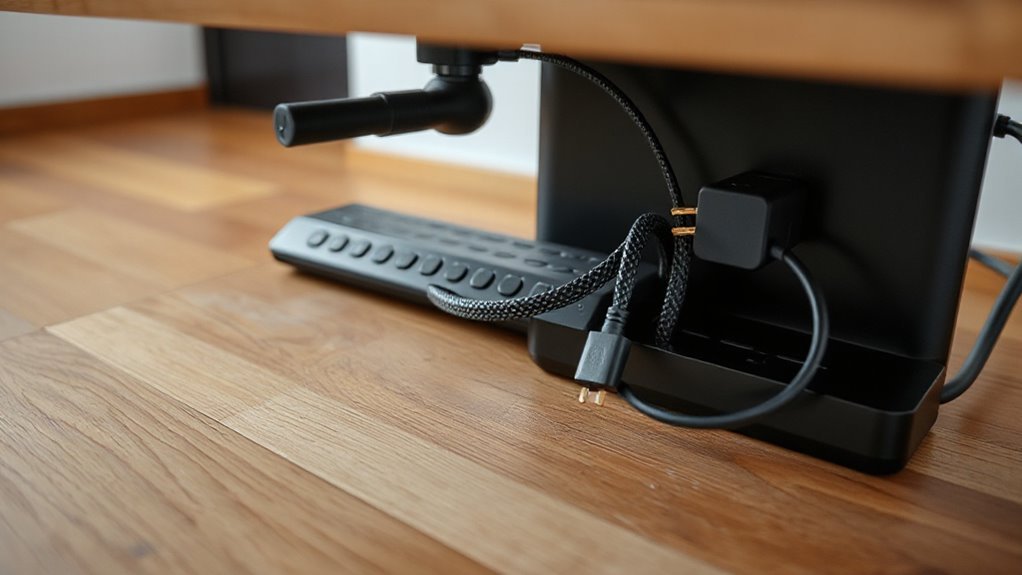
To maximize efficiency in your workspace, organizing power strips is essential. Start by mounting power strips under your desk. This placement reduces floor clutter and prevents tripping hazards while keeping cables secure during height adjustments.
Use multi-outlet power strips, ideally 12-outlet models, to accommodate various devices while guaranteeing centralized power distribution. Select surge protectors to safeguard your equipment from electrical damage.
Group cables by destination to avoid tangling, and utilize Velcro straps for organization. Choose a power strip with a 6-foot cord to provide flexibility in positioning.
Finally, verify that your power strip can adapt to future device growth by checking its specifications. This setup streamlines your workspace and enhances productivity.
Exploring Additional Cable Management Solutions
While effective cable management enhances your workspace, utilizing a combination of innovative solutions can further streamline organization.
Consider these additional methods to tackle cable chaos:
- Cable Sleeves and Wraps: These bundle multiple cords into one flexible tube, reducing clutter while protecting cables from tangling and wear.
- Cable Clips and Anchors: Adhesive clips secure cables along desk edges, helping to prevent sagging and accidental unplugging during height adjustments.
- Under-Desk Cable Trays and Baskets: These collect power strips and bundled cables off the floor, protecting them from damage and keeping your workspace tidy.
Frequently Asked Questions
How Do I Choose the Right Cable Management Products for My Desk?
To choose the right cable management products for your desk, assess your desk type first.
For steel frames, magnetic channels work best. If you have wood or composite, consider adhesive or screw-mounted options.
If your desk is height-adjustable, opt for flexible solutions. Check for built-in grommets for integrated solutions.
Evaluate your budget—basic ties start at $5, while premium kits can exceed $100.
Prioritize usability and installation ease for your specific setup.
Can I Install Cable Management Solutions Without Damaging My Desk?
Yes, you can install cable management solutions without damaging your desk.
Adhesive-backed clips and raceways attach securely without screws, allowing flexible cable routing. Magnetic channels adhere to metal frames, moving with height adjustments.
You can use cable ties or Velcro straps to bundle cables, preventing any modifications to the desk.
Consider non-invasive solutions like cable boxes placed on the floor for easy organization and minimal impact on your desk’s surface.
What Are the Best Tools for Cable Management Installation?
For effective cable management, consider adhesive clips, zip ties, and cable trays.
Adhesive clips secure cables along edges, while zip ties offer strong bundling.
Cable trays, mounted under your desk, provide organized storage for power strips and adapters.
Additionally, surge protectors centralize power sources and prevent disconnections.
Premium kits often include adjustable features, allowing for smooth desk height adjustments.
Select tools that suit your setup for ideal organization and safety.
How Often Should I Rearrange My Cable Management Setup?
You should rearrange your cable management setup every 6–12 months for ideal function.
If you frequently adjust your desk height, check cables every 1–3 months. Major changes, like new devices, necessitate immediate updates.
Regular inspections can prevent wear or damage. Look for signs of restriction, fraying, or dust buildup.
Prioritize safety by securing loose cables, and maintain aesthetics to enhance your workspace’s overall functionality.
Are There Eco-Friendly Options for Cable Management Solutions?
Yes, there are eco-friendly options for cable management solutions. Bamboo organizers and wooden trays provide sustainable alternatives, utilizing responsibly sourced materials.
Reusable felt cable ties, biodegradable and strong, offer a plastic-free option. Magnetic organizers promote longevity by allowing easy reconfiguration without damage.
Additionally, some kits incorporate recycled plastics or biodegradable materials, reducing environmental impact. These products not only enhance organization but also align with eco-conscious principles, promoting a greener workspace.
Conclusion
To sum up, effective cable management on your standing desk enhances both functionality and aesthetics.
Utilize under-desk cable trays and select appropriate raceways to keep cords out of sight and organized. Consider investing in cable organizing solutions for your workspace that can accommodate various devices and cables. This will not only enhance the aesthetic of your office but also improve safety by reducing tripping hazards. By implementing these strategies, you can create a more efficient and productive work environment.
Employ secure bundling techniques and position power strips strategically to minimize clutter.
As you explore additional solutions, consider how a well-managed environment can boost your productivity. The right approach can transform your workspace—are you ready to take the next step?