Do You Need an Ergonomic Keyboard?

An ergonomic keyboard can greatly improve your typing experience by promoting natural wrist alignment and reducing strain. It features a split design that encourages neutral wrist positioning, lowering the risk of carpal tunnel syndrome and other repetitive strain injuries.
Users often report enhanced typing speed and accuracy due to the optimized layout. Many ergonomic keyboards also offer customizable settings so you can adjust key angle, tenting, and spacing for personal comfort.
If you want to explore the benefits further, you might find additional insights useful. Trying an ergonomic keyboard for a trial period can help determine whether it suits your posture and workflow.
Understanding Ergonomics in Keyboard Design
When you consider an ergonomic keyboard, you’re looking at a design that focuses on your comfort and efficiency during typing.
Ergonomic keyboards promote a natural hand and wrist position, reducing muscle tension. Key layouts minimize excessive finger movement, which decreases strain. Contoured keys fit the natural shape of your fingers, enhancing comfort. They require minimal force to press, lowering the risk of conditions like carpal tunnel syndrome. Ergonomic keyboards aim to prevent repetitive strain injuries and support better posture during typing.
Tactile feedback guarantees typing accuracy without excessive force. Angled key layouts maintain neutral wrist positioning and reduce stress. Split designs separate key groups, allowing your arms to stay shoulder-width apart.
Benefits of Using an Ergonomic Keyboard
Ergonomic keyboards offer multiple advantages that enhance both comfort and efficiency during typing tasks. They greatly reduce the risk of common typing injuries, such as carpal tunnel syndrome, by correcting awkward hand positions. Using these keyboards lowers wrist ulnar deviation and extension, resulting in decreased muscle activity in your forearms. Clinical studies show that maintaining neutral wrist angles keeps internal wrist pressures lower, potentially protecting the median nerve. Over 50% of computer users report experiencing work-related arm, shoulder, or hand pain, highlighting the importance of ergonomic solutions. Users of fully ergonomic split keyboards report fewer musculoskeletal symptoms over time. Additionally, these designs promote a more natural upper limb orientation, alleviating pain and preventing the escalation of existing discomfort.
Performance and Typing Efficiency
Improving typing speed and accuracy is achievable with the right keyboard. Studies indicate that ergonomic keyboards can enhance typing speed by 5-10% due to reduced discomfort and fatigue. You’ll notice improved accuracy as well, thanks to natural hand positioning, which minimizes errors.
Consider these key points:
- Ergonomic keyboards reduce muscle strain, leading to better focus.
- Split layouts provide precise key access, decreasing typos.
- Mechanical switches, like Gateron Clear or Cherry MX Brown, lower finger stress.
- Users often see speed recover and improve after a brief adjustment period.
Additionally, the reduced discomfort associated with ergonomic keyboards allows for longer typing sessions without fatigue.
In professional settings, these factors contribute notably to productivity, making ergonomic keyboards a valuable investment for frequent typists.
Key Design Features to Consider

Several key design features can greatly impact your typing experience and comfort.
Split Design separates the keyboard into two sections, aligning your arms and wrists with your forearms. This reduces ulnar deviation and shoulder strain while allowing angle adjustments.
Columnar Layout arranges keys in vertical columns, reflecting natural finger motion and minimizing sideways movements, which helps prevent repetitive strain injuries.
Contoured Keywells reduce hand extension, promoting a relaxed posture and minimizing finger motion.
Tenting and Tilt Adjustments raise the keyboard’s thumb side, supporting a neutral posture and reducing forearm pronation.
Lastly, Palm and Thumb Support features cushioned pads and dedicated thumb keys, redistributing workload effectively and enhancing comfort during extended use.
Each feature contributes to a more ergonomic typing experience.
User Acceptance and Comfort Levels
How do users truly feel about different keyboard designs? Research shows that user preference leans heavily toward non-split ergonomic keyboards. These models receive higher acceptance ratings due to their conventional design, which users find more comfortable and familiar.
- Non-split designs scored highest in comfort assessments across all categories.
- Users with medium to large hands reported discomfort with traditional designs.
- Split keyboards require unfamiliar postures, leading to lower satisfaction.
- Typing performance varies minimally, with only a 5% reduction in speed and accuracy.
Long-Term Efficacy of Ergonomic Keyboards
While many users initially adapt to ergonomic keyboards, the long-term benefits become increasingly apparent over time. Continuous use can greatly reduce symptoms of work-related upper extremity disorders, maintaining improvements beyond six months.
Studies show that typists using split ergonomic designs experience fewer new musculoskeletal symptoms compared to conventional users over two years. Ergonomic keyboards support natural hand posture, lowering the risk of repetitive strain injuries like carpal tunnel syndrome.
Users report stable or improved typing speed and accuracy, countering initial adaptation concerns. With over 80% of users continuing ergonomic keyboard use after six months, the sustained compliance indicates long-term efficacy, preventing escalation of musculoskeletal disorders and preserving functional typing capabilities.
Symptom Management for Existing Conditions
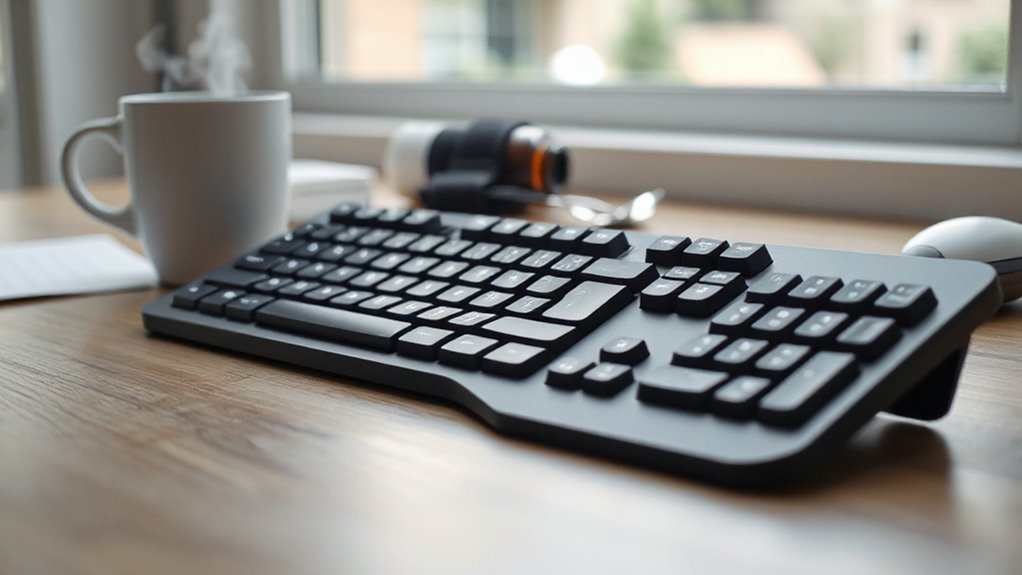
When dealing with existing conditions, ergonomic keyboards can greatly contribute to symptom relief and improved comfort.
These keyboards promote neutral wrist alignment, reducing strain and pain associated with typing. They’re designed to minimize wrist extension and ulnar deviation, which are key risk factors for conditions like carpal tunnel syndrome and repetitive strain injuries.
- Reduce muscle activity in the forearm and hand, alleviating discomfort.
- Provide adjustable layouts for customized ergonomic benefits.
- Include wrist support systems to maintain proper alignment.
- Decrease the incidence of pain flare-ups during typing sessions.
Considerations for Different User Groups
What factors should you consider when selecting an ergonomic keyboard that suits your specific needs? One important aspect is the benefits of ergonomic keyboards, which can help reduce strain on your wrists and improve overall comfort during long typing sessions. Additionally, these keyboards often come with features like adjustable height and customizable layouts that cater to different user preferences. Considering these factors can lead to a healthier and more productive work environment.
For office workers, focus on keyboards that promote natural wrist positioning to reduce the risk of repetitive strain injuries like carpal tunnel syndrome. Adjustable split designs help accommodate different body frames, while integrated wrist supports maintain neutral wrist heights.
Gamers should seek designs that minimize wrist fatigue and offer customizable layouts for key-binding preferences, enhancing performance.
Individuals with larger frames benefit from split keyboards that allow independent positioning, reducing shoulder strain.
For students, fixed-split keyboards encourage healthy typing habits, preventing future RSIs.
Customization and Personal Preference
How can customization enhance your typing experience? Tailoring your ergonomic keyboard allows for greater comfort and efficiency.
With options like open-source firmware, you can reprogram keys to fit your workflow. Here are some key advantages of customization:
- Interchangeable Keycaps: Easily swap keycaps for aesthetic or functional needs, accommodating various languages.
- Tenting Kits: Adjust the angle of your keyboard to reduce wrist strain, enhancing comfort during long typing sessions.
- Layout Editors: Use web-based tools to design custom layouts without technical expertise, optimizing for personal use cases.
- Macro Functionality: Automate repetitive tasks with programmable keys, increasing productivity and reducing strain.
These features enable you to create a keyboard that truly meets your individual preferences and requirements.
Making the Transition to an Ergonomic Keyboard
Making the switch to an ergonomic keyboard can greatly enhance your typing experience, especially after customizing your setup to fit your preferences.
Expect an adjustment period of a few days to a week. During this time, you might notice a decrease in typing speed and accuracy, but these usually improve as you adapt.
Ergonomic keyboards promote neutral wrist and forearm postures, considerably reducing strain. Many users report lower incidences of repetitive strain injuries, such as carpal tunnel syndrome.
Integrating training tools, like typing tutorials, can smooth your adjustment. After acclimation, many experience improved productivity, with typing speed potentially increasing by about 11%.
Frequently Asked Questions
How Do I Choose the Right Ergonomic Keyboard for My Needs?
To choose the right ergonomic keyboard, assess your typing habits and duration.
If you type extensively, consider models with adjustable tenting angles and split designs for natural hand positioning.
Evaluate key features like programmability, wrist rests, and build quality.
Budget options offer basic support, while mid-range and premium models provide advanced customization.
Prioritize comfort and fit for your specific needs, ensuring the keyboard aligns with your ergonomic requirements for peak performance.
Can Ergonomic Keyboards Be Used With All Computer Systems?
Yes, ergonomic keyboards can be used with most computer systems. They typically connect via USB or Bluetooth, ensuring compatibility with Windows, macOS, and Linux.
Many models feature switches to toggle between layouts, simplifying use across platforms. However, function keys may require remapping for peak performance.
While wired options are plug-and-play, wireless keyboards necessitate Bluetooth support. Always check manufacturer specifications for compatibility, especially with older systems.
Are There Specific Ergonomic Keyboards for Gaming?
Yes, there are specific ergonomic keyboards designed for gaming.
These keyboards feature a split design, adapting to your shoulder width to promote natural posture. They offer fully programmable keys, extra thumb keys for quick access, and palm support to prevent wrist strain.
Detachable halves enhance your setup flexibility.
These features help improve your performance and reduce the risk of repetitive strain injuries during long gaming sessions, making them essential for serious gamers.
How Much Do Ergonomic Keyboards Typically Cost?
Ergonomic keyboards typically cost between $60 and $300, depending on features.
Budget models, like the Kensington Pro Fit, offer basic ergonomic designs around $60-$80.
Mid-range options, such as the Microsoft Sculpt, range from $80-$150, providing added comfort and wireless connectivity.
Premium designs, like the Kinesis Advantage, start at $279 and feature sophisticated layouts and mechanical switches.
Prices reflect the complexity of design, materials, and customization options available.
What Maintenance Is Required for Ergonomic Keyboards?
To maintain ergonomic keyboards, start with regular cleaning.
Use compressed air to remove dust between keys and a damp cloth for surfaces. Inspect for worn keys and loose connections; address issues promptly. Test button functionality often.
Follow manufacturer guidelines to guarantee warranty compliance. Use a 70% isopropyl alcohol solution for sanitization, avoiding bleach and direct sprays.
Consistent maintenance preserves performance and enhances user comfort during prolonged use.
Conclusion
In conclusion, an ergonomic keyboard can enhance comfort, reduce strain, and improve typing efficiency.
Research shows that these keyboards, with features like split designs and adjustable angles, help maintain wrist alignment.
Users often report decreased symptoms of discomfort, particularly those with existing conditions.
Shifting to an ergonomic model might require time, but the benefits can outweigh initial adjustments.
Ultimately, finding the right keyboard hinges on individual needs, making personalization essential for best performance.