How to Adjust Office Chair Height and Tilt
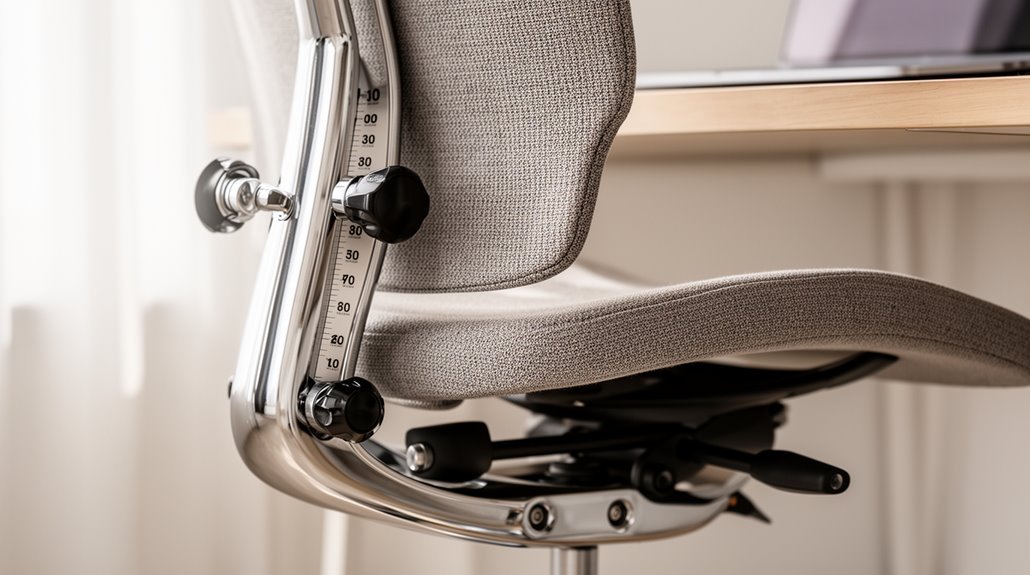
How to adjust office chair height: sit back with your feet flat on the floor. Locate the lever under the seat and pull it up to raise the chair or push it down to lower it. Aim for your thighs to be parallel to the floor and your knees bent at about 90 degrees.
To adjust the tilt, find the lever or knob beneath the seat and set it to your preferred recline angle. Test the tilt and lock it if your chair has that option.
Calibrate the tension so the chair reclines smoothly without feeling unstable. Properly optimizing height and tilt improves comfort and can boost productivity.
Understanding Chair Height Adjustment Mechanisms
When you sit in an office chair, you mightn’t realize the complexity of its height adjustment mechanisms.
The most common type, pneumatic seat height adjustment, features a gas-filled piston beneath the seat. This design allows for smooth raising and lowering, operated by a lever or paddle on either side. It requires minimal effort, accommodating a specified height range suited to your needs. Pneumatic seat height adjustment is particularly beneficial for achieving optimal ergonomics while working at a desk.
Older models may utilize manual knob or screw adjustments, which require turning a knob or screw to change height. This method is slower and may need a screwdriver for secure adjustment.
Ergonomic chairs often combine these adjustments with back height controls to enhance lumbar support, essential for maintaining proper posture during extended use.
Step-by-Step Guide to Adjusting Chair Height
Adjusting the height of your office chair is a straightforward process that plays a significant role in achieving ideal ergonomic support. Proper seating is crucial for preventing back pain and maintaining good posture during long hours at the desk.
Follow these steps for best adjustment:
- Prepare to Adjust: Sit fully in the chair, confirming your back is supported, and place your feet flat on the floor.
- Locate the Lever: Find the height adjustment lever under the seat or near the base. Verify the chair is on a flat surface and remove any obstructions.
- Adjust the Height: Pull the lever upwards to raise the seat or push it downwards to lower the seat. Aim for your thighs to be parallel to the floor, with knees bent at approximately 90 degrees.
Test your arm and wrist positions to confirm comfort and proper alignment.
Exploring Tilt Adjustment Features
Understanding the tilt adjustment features of your office chair is essential for achieving ideal comfort and support.
Tilt control typically activates via a lever or knob under the seat. This adjustment determines how the seat and backrest move together or independently. Tilt lock features secure the chair in a specific position, which is helpful for tasks requiring steady posture. Tilt mechanisms can significantly enhance comfort by allowing users to shift their position throughout the day.
Mechanisms vary from basic models, which recline at a 1:1 ratio, to advanced ergonomic designs with multiple adjustment points. Synchronous tilt mechanisms allow the backrest and seat pan to move together at different angles, maintaining natural posture.
Frontal pivot and knee-tilt mechanisms provide wide-angle tilts while keeping the seat level, enhancing comfort without increasing pressure on your thighs.
How to Properly Adjust Tilt Tension
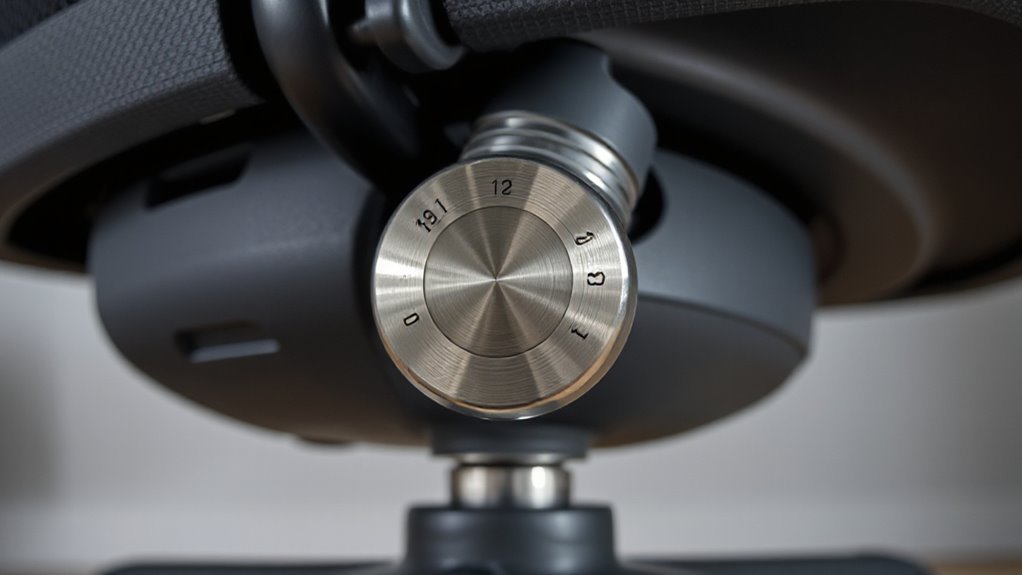
To achieve ideal comfort and support, you’ll need to adjust the tilt tension on your office chair correctly. This adjustment controls how easily you can rock or recline.
Follow these steps for proper calibration:
- Locate the knob: Find the large round knob under the seat, usually near the front. Lean forward to reach it comfortably.
- Adjust for your weight: Turn the knob clockwise to tighten and counterclockwise to loosen. This calibration should match your body weight for optimal performance.
- Test the tension: Lean back gently to check if the tension feels right. If it tilts too easily, tighten it; if it requires too much effort, loosen it.
Proper adjustment enhances stability and reduces fatigue during extended sitting.
Ergonomic Best Practices for Height and Tilt
When setting up your office chair, achieving the right height and tilt is essential for maintaining comfort and productivity.
Adjust the seat height so it’s just below your kneecap when standing, ideally between 16 and 21 inches off the ground. Your feet should rest flat on the floor, with thighs parallel to the ground and knees at a 90-degree angle.
For seat depth, maintain a four-inch gap between the back of your chair and your lower back. Make sure that the front edge of the seat doesn’t press against your thighs.
Finally, adjust the lumbar support to fit the natural curve of your lower back, keeping the backrest aligned with your spine for maximum support and comfort.
Troubleshooting Common Adjustment Issues
Adjustments to your office chair can sometimes present challenges, impacting your comfort and productivity. If you’re facing issues, here are key troubleshooting steps:
- Check for Obstructions: Inspect the height adjustment lever for debris, which can jam it. Clean any dirt buildup to guarantee smooth operation.
- Wiggle and Lubricate: Wiggle the lever while applying pressure to loosen it. Use WD-40 on moving parts to reduce stiffness.
- Examine for Damage: Look for worn hydraulic cylinders or loose screws. Tighten screws and consider replacing damaged components to restore function.
For temporary fixes, use PVC tubing to lock height or add seat cushions for increased elevation.
Regular maintenance will help prevent these issues, guaranteeing your chair remains functional and comfortable.
Frequently Asked Questions
Can I Adjust My Chair Height Without Levers or Pneumatic Systems?
Yes, you can adjust your chair height without levers or pneumatic systems.
First, turn the chair upside down to expose the base screw. Unscrew it slowly, allowing the cylinder to move downward. Set the seat height manually, then tighten the screw back into place.
Alternatively, consider using PVC pipe or wooden blocks to achieve a stable height. Always verify the modified chair remains stable before use to prevent tilting.
What Tools Are Needed for Manual Chair Height Adjustments?
To adjust your chair height manually, you’ll need a few specific tools.
Grab a suitable wrench or screwdriver for turning the adjustment mechanism. Position the chair upside down or sideways for better access.
Use slow, controlled motions: turn clockwise to raise and counterclockwise to lower the seat.
After achieving your desired height, make certain you securely tighten all screws or bolts to maintain stability and comfort during use.
How Do I Know if My Chair Mechanism Needs Replacement?
To determine if your chair mechanism needs replacement, observe for specific signs.
If your chair sinks slowly or fails to hold its height, it indicates a gas lift issue.
Check for tilt problems; if the chair doesn’t recline or locks improperly, that’s a concern.
Additionally, inspect for visual wear, like cracks or rust.
If adjustments feel stiff or require excessive force, the mechanism likely needs attention or replacement.
Are There Height Adjustment Options for Fixed-Height Chairs?
Yes, there are height adjustment options for fixed-height chairs.
You can use a manual screw mechanism to adjust height by unscrewing and tightening a prominent screw under the chair.
Alternatively, consider replacing the gas lift cylinder for more height options.
Adding seat cushions or installing casters can also increase height.
Finally, integrating drafting stool kits can extend height considerably, but verify compatibility with your chair model before purchasing.
How Often Should I Adjust My Chair for Optimal Ergonomics?
You should adjust your chair regularly, ideally every 2-4 weeks after initial setup.
This timeframe allows you to adapt and identify discomfort. Monitor chair height to align with your legs, aiming for a ratio between 0.88 to 0.95 between the popliteal fossa and seat height.
Reassess whenever workplace conditions change or you notice discomfort. Consistent adjustments enhance your ergonomic setup, reducing the risk of musculoskeletal issues and improving overall comfort.
Conclusion
Adjusting your office chair’s height and tilt enhances comfort and productivity.
First, familiarize yourself with the adjustment mechanisms. Then follow the step-by-step guide for height and tilt adjustments.
Set the tension correctly to ensure ideal support.
Maintain ergonomic best practices to prevent strain during long hours — like a knight needing proper armor for battle.
Troubleshoot common issues to achieve a personalized seating experience that promotes well-being in the modern workspace.