Workplace Ergonomics for Remote Teams
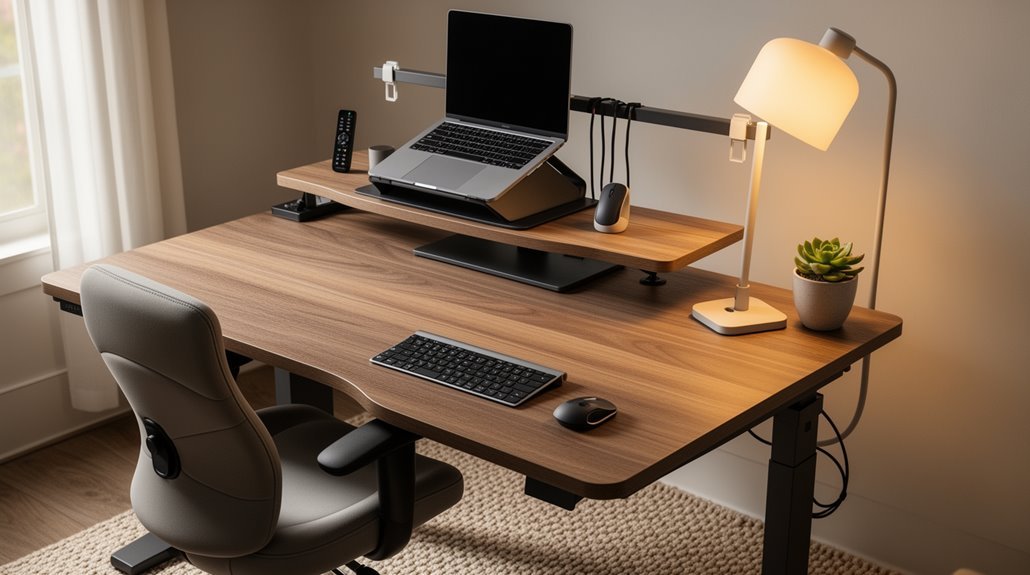
Workplace ergonomics for remote teams is essential for health and productivity. Proper desk setups should maintain your elbows at a 90-degree angle and position monitors at eye level to prevent neck strain.
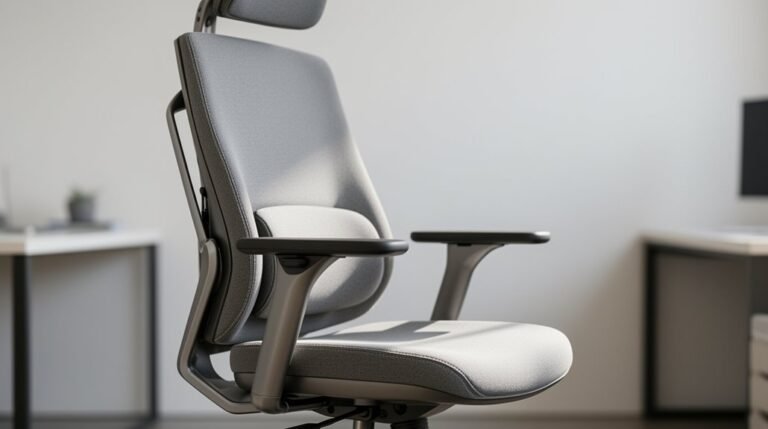
Adjustable chairs that support the lower back help reduce discomfort and fatigue during long work sessions. Small adjustments, like footrests or lumbar supports, can make a big difference.
Poor ergonomics can lead to musculoskeletal issues, which in turn decrease productivity and increase time away from work. Implementing best practices enhances well-being and reduces the risk of injury.
Regular ergonomic assessments provide tailored solutions for each individual. Discover more ways to optimize your remote workspace effectively through simple changes and professional guidance.
Understanding the Importance of Ergonomics in Remote Work
Ergonomics plays an essential role in remote work environments, directly influencing your health and productivity. Poor ergonomic setups increase your risk of musculoskeletal disorders, including back and neck pain. Extended screen time without proper support can lead to digital eye strain and posture-related issues.
Non-ergonomic furniture, like sofas or unsupported chairs, heightens your risk of discomfort. Adopting ergonomic workstations helps reduce physical fatigue and supports long-term health. Studies indicate that ergonomic interventions can notably lower the risk of visual discomfort and musculoskeletal disorders among remote workers. By prioritizing ergonomic practices, you can improve your daily work experience, enhancing both your well-being and efficiency in the long run. Ergonomic assessments can further help identify and address specific issues in your workspace setup.
Common Physical Discomforts Faced by Remote Workers
As you navigate remote work, you might find yourself experiencing various physical discomforts linked to suboptimal workstation setups.
Common issues include:
- Back and Neck Pain: About 41% of remote workers report lower back pain, while 23.5% experience neck pain, often due to prolonged sitting and poor posture.
- Musculoskeletal Disorders: Approximately 61% of remote workers report worsening musculoskeletal pain, with many suffering from repetitive strain injuries affecting the arms, wrists, and shoulders. Prolonged sitting is a significant contributor to these conditions, making proper ergonomic setups essential.
- Vision Discomfort: Improper screen positioning can lead to eye strain, headaches, and blurred vision, contributing to conditions like computer vision syndrome.
These discomforts arise from inadequate ergonomic setups, emphasizing the need for proper workstation adjustments.
Addressing these issues can greatly enhance your comfort and productivity.
Financial Implications of Poor Ergonomic Setups
The financial implications of poor ergonomic setups can greatly impact both employers and employees. Employers face direct costs, such as increased workers’ compensation claims and medical expenses. Indirect costs, including lost productivity and absenteeism, can exceed these direct expenses. For instance, replacing an employee due to ergonomic-related issues costs approximately £30,000. Employees suffering from pain operate at 15% below capacity, resulting in missed deadlines and reduced quality of work. Additionally, frequent healthcare visits for musculoskeletal pain raise insurance premiums. Legal risks also arise if employers neglect ergonomic standards, leading to potential lawsuits and fines. Investing in ergonomic solutions not only enhances productivity but also reduces overall financial burdens associated with employee discomfort and turnover. Remote workers face risks such as slips, trips, and injuries from poor workstation setups, further emphasizing the need for ergonomic investments.
Identifying Deficiencies in Home Office Configurations

Identifying deficiencies in home office configurations requires a keen eye for detail. Many remote workers overlook critical aspects of their setups.
Here are three common deficiencies:
- Chair Issues: 58% of remote workers use chairs lacking ergonomic support, with 27% resorting to dining chairs. These often lack lumbar support and adjustability, leading to discomfort.
- Monitor Placement: 75% utilize laptop screens positioned too low, causing neck strain. Additionally, 31% of primary monitors are misaligned, which promotes poor posture.
- Desk Configurations: 40% of workers don’t use dedicated desks, opting for unsuitable surfaces like couches, which can hinder productivity and comfort.
The Link Between Ergonomics and Mental Health
Understanding the connection between ergonomics and mental health is essential for remote workers aiming to enhance their overall well-being. Poor ergonomic conditions lead to chronic pain, which greatly increases anxiety and depression levels among affected individuals.
Physical strain creates psychological stress, compounding mental fatigue and burnout over time. Musculoskeletal discomfort correlates with reduced mental clarity and cognitive function. Additionally, ongoing physical discomfort heightens vulnerability to work-related stress and emotional distress.
Favorable ergonomic environments, characterized by proper lighting and comfortable furniture, enhance job satisfaction and psychological safety. Ergonomic adjustments, like sit-stand desks, improve mood and decrease fatigue.
Addressing these ergonomic risks through tailored interventions can considerably reduce stress and promote a healthier mental state for remote workers.
Enhancing Employee Satisfaction Through Ergonomic Solutions
Enhancing employee satisfaction through ergonomic solutions involves creating a workspace that prioritizes comfort and functionality.
When your environment is tailored to your needs, job satisfaction increases considerably.
Here are three key benefits of implementing ergonomic solutions:
- Reduced Physical Strain: Ergonomic furniture, like adjustable chairs and sit-stand desks, minimizes discomfort, leading to higher satisfaction levels.
- Increased Productivity: Properly designed workstations can enhance performance by up to 15%, allowing you to complete tasks more efficiently.
- Improved Morale: Investing in ergonomic setups demonstrates that your comfort is valued, boosting overall team morale and retention rates.
Best Practices for Creating an Ergonomic Home Office
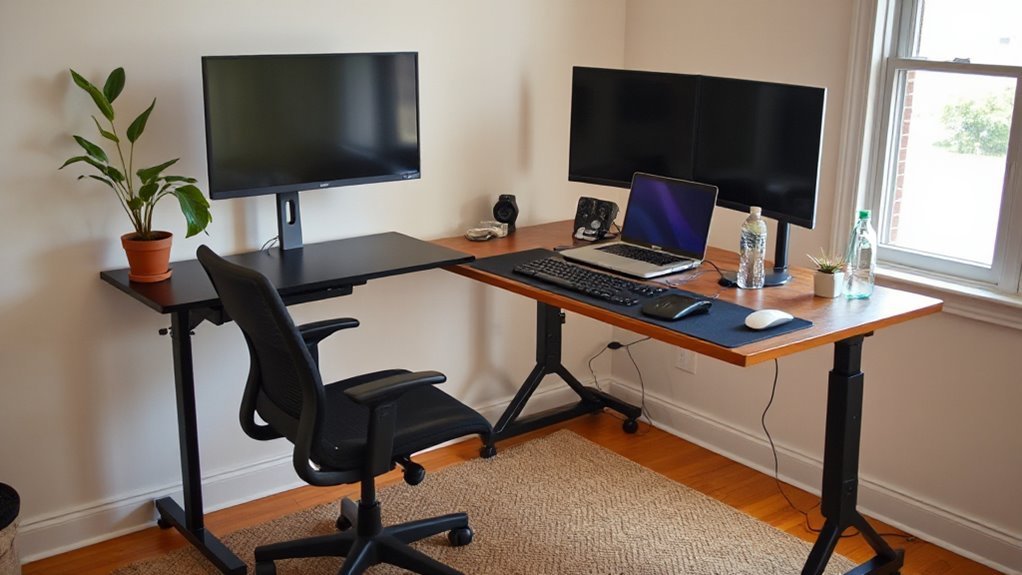
Creating an ergonomic home office involves strategic choices that prioritize your physical health and productivity.
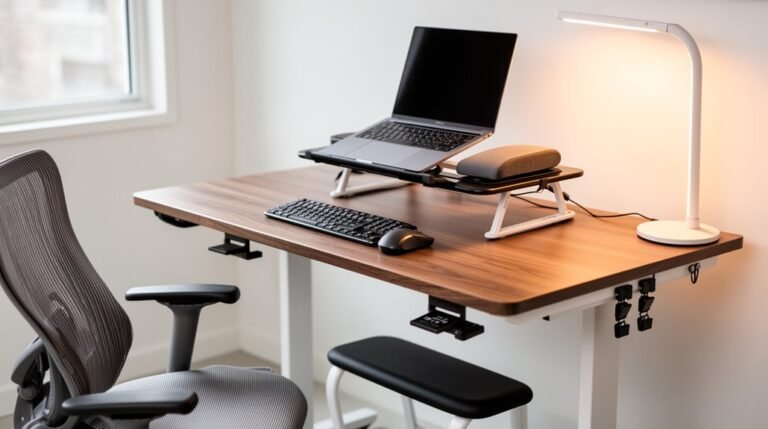
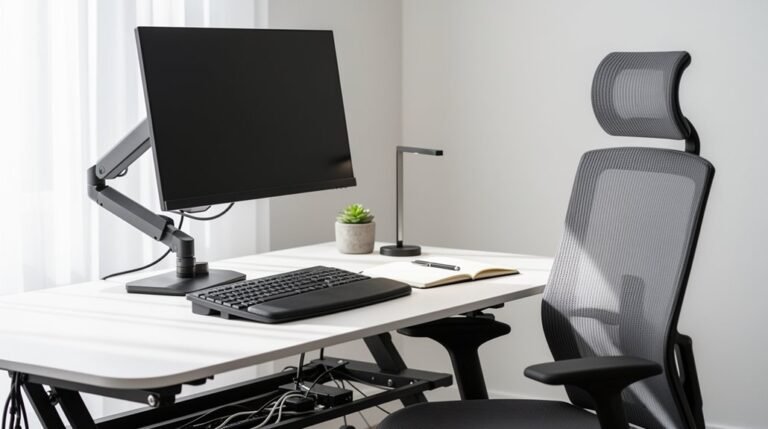
Start with a proper desk setup; verify your work surface is at elbow height, allowing your arms to maintain a 90-degree angle. Use an adjustable chair that supports your lower back and allows your feet to rest flat on the floor.
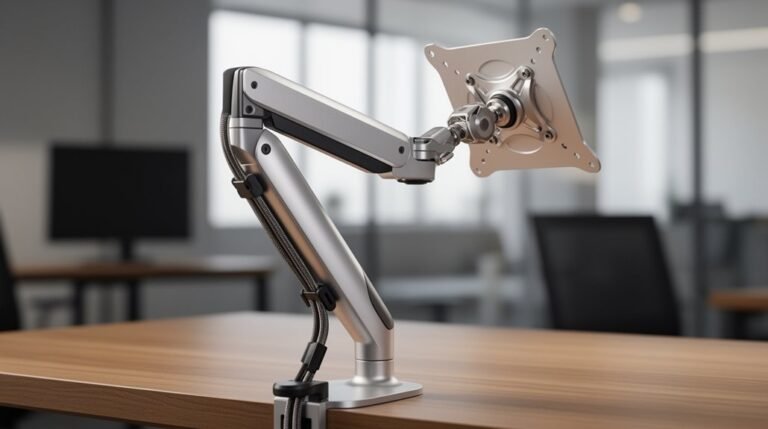
Position your monitor at eye level to prevent neck strain. If using laptops, invest in external monitors, keyboards, and mice to maintain neutral wrist posture.
Enhance lighting by avoiding glare, guaranteeing sufficient brightness.
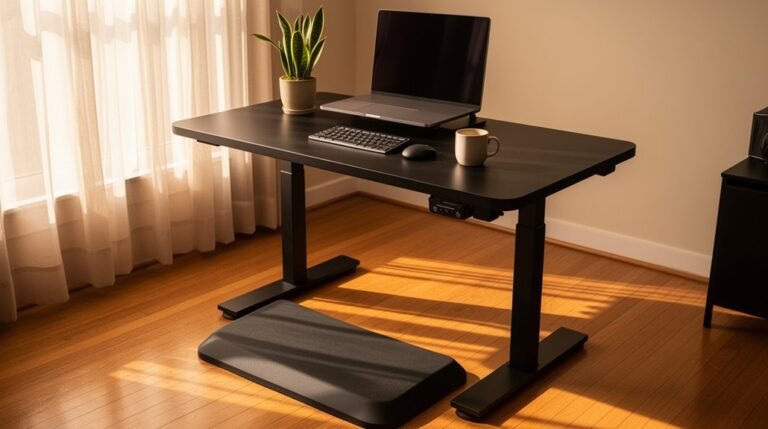
Finally, integrate movement; consider sit-stand desks to reduce sedentary behavior.
Following these best practices can greatly improve your comfort and efficiency while working from home.
The Role of Ergonomic Assessments and Training
When remote teams prioritize ergonomic assessments and training, they greatly enhance employee well-being and productivity.
Implementing structured assessments guarantees employees work effectively and comfortably. Here are three key components to take into account:
- Personalized Evaluations: Utilize virtual assessments combined with ergonomic software to evaluate each employee’s workspace specifically.
- Self-Assessment Tools: Provide employees with guided software tools, enabling them to assess their own setups and monitor improvements over time.
- Posture Analysis: Conduct detailed posture evaluations to identify strain patterns, guaranteeing employees maintain a neutral spine and proper foot placement.
Promoting Wellness Programs for Remote Teams
Promoting wellness programs for remote teams requires a strategic approach that aligns with the unique challenges of a distributed workforce.
Tailoring wellness benefits specifically for home office setups is vital, as 67% of remote workers expect this adaptation. Offering virtual ergonomic assessments can enhance workspace health, as 55% of organizations already do.
Implementing wellness stipends correlates with a 28% increase in job satisfaction, while 36% of companies host annual virtual wellness retreats to encourage connection.
Hybrid wellness programs that combine virtual and in-person elements yield a 23% increase in employee retention.
Monitoring engagement through dashboards and surveys guarantees participation rates meet organizational goals, fostering an inclusive and effective wellness culture that addresses the distinct needs of remote employees.
Strategies for Improving Communication and Reducing Isolation
Effective communication is essential for remote teams, especially as isolation can hinder collaboration and productivity. Implementing effective strategies can greatly enhance communication.
Here are three approaches:
- Utilize Video Conferencing: Platforms like Zoom and Microsoft Teams enable face-to-face interactions, enhancing engagement during meetings and brainstorming sessions.
- Establish Structured Check-ins: Regularly scheduled check-ins foster alignment and prompt problem-solving. Setting clear expectations and communication frequencies reduces miscommunication.
- Encourage Open Dialogue: Creating an environment where team members feel safe to share ideas and concerns promotes transparency. Regular feedback mechanisms can address issues before they escalate.
Frequently Asked Questions
What Are the Signs I Need an Ergonomic Assessment?
You need an ergonomic assessment if you experience persistent neck, shoulder, or back pain during work.
Frequent headaches or eye strain indicate improper screen positioning.
Tingling or numbness in your arms suggests nerve compression.
If you’re taking more breaks to relieve discomfort, your workstation setup might be inadequate.
Finally, a noticeable decline in productivity or visible signs of discomfort can reflect underlying ergonomic issues needing attention.
How Often Should I Take Breaks While Working Remotely?
You should take breaks every 60 to 90 minutes while working remotely. This interval helps maintain productivity and reduces fatigue.
Aim for 5-10 minute breaks each hour, with a longer 30-minute to 1-hour lunch break. Incorporate physical movement or stretching during these pauses to mitigate musculoskeletal strain.
Scheduling breaks intentionally counteracts the absence of natural pauses, ensuring you stay focused and refreshed throughout your workday.
Prioritize your well-being to enhance overall performance.
Can I Use Regular Furniture for My Home Office Setup?
Using regular furniture in your home office isn’t advisable. Regular chairs lack adjustability and proper lumbar support, which can lead to back pain. Fixed seat heights may cause poor posture, while inadequate armrests can strain your shoulders.
Ergonomic chairs allow for seat height adjustments, proper lumbar support, and adjustable armrests, ensuring comfort and promoting good posture.
Prioritizing ergonomic furniture helps minimize discomfort and supports productivity during long work hours.
What Inexpensive Ergonomic Solutions Can I Implement at Home?
You can enhance your home office ergonomics affordably.
Use a pre-owned ergonomic chair or add lumbar support pillows to existing chairs for better spinal alignment.
Monitor risers, like stacked books, elevate screens to reduce neck strain.
Implement wrist rests to alleviate pressure during typing.
Adjust your desk height with DIY solutions, such as boxes or footstools, to improve posture.
Remember to take regular breaks to further reduce strain and enhance comfort.
How Can I Encourage My Employer to Invest in Ergonomic Resources?
To encourage your employer to invest in ergonomic resources, present data showing that ergonomic improvements boost productivity and reduce absenteeism.
Highlight the 60% of remote workers experiencing discomfort and the correlation between well-being and job satisfaction.
Suggest an ergonomic assessment program, emphasizing its potential to lower healthcare costs.
Propose equipment stipends for ergonomic furniture and regular breaks.
Stress how these measures can enhance overall workplace efficiency and employee engagement.
Conclusion
Neglecting ergonomics in your home office is like inviting discomfort to a party. A makeshift desk might seem sufficient, but poor setups quickly lead to physical strain and reduced productivity.
Prioritize ergonomic adjustments to improve your work environment. Small changes support your health and help you work more efficiently.
Assess your workspace, invest in proper equipment, and adopt best practices. A well-designed home office isn’t a luxury—it’s a necessity for thriving in a remote work landscape.